

Amplify Link in Bio page for social platforms
Some social platforms, such as Instagram, do not allow clickable links inside regular posts. A Link in Bio page solves this by giving you a single URL that aggregates every article you publish, so you can drive traffic back to your website from platforms that restrict posting links directly.
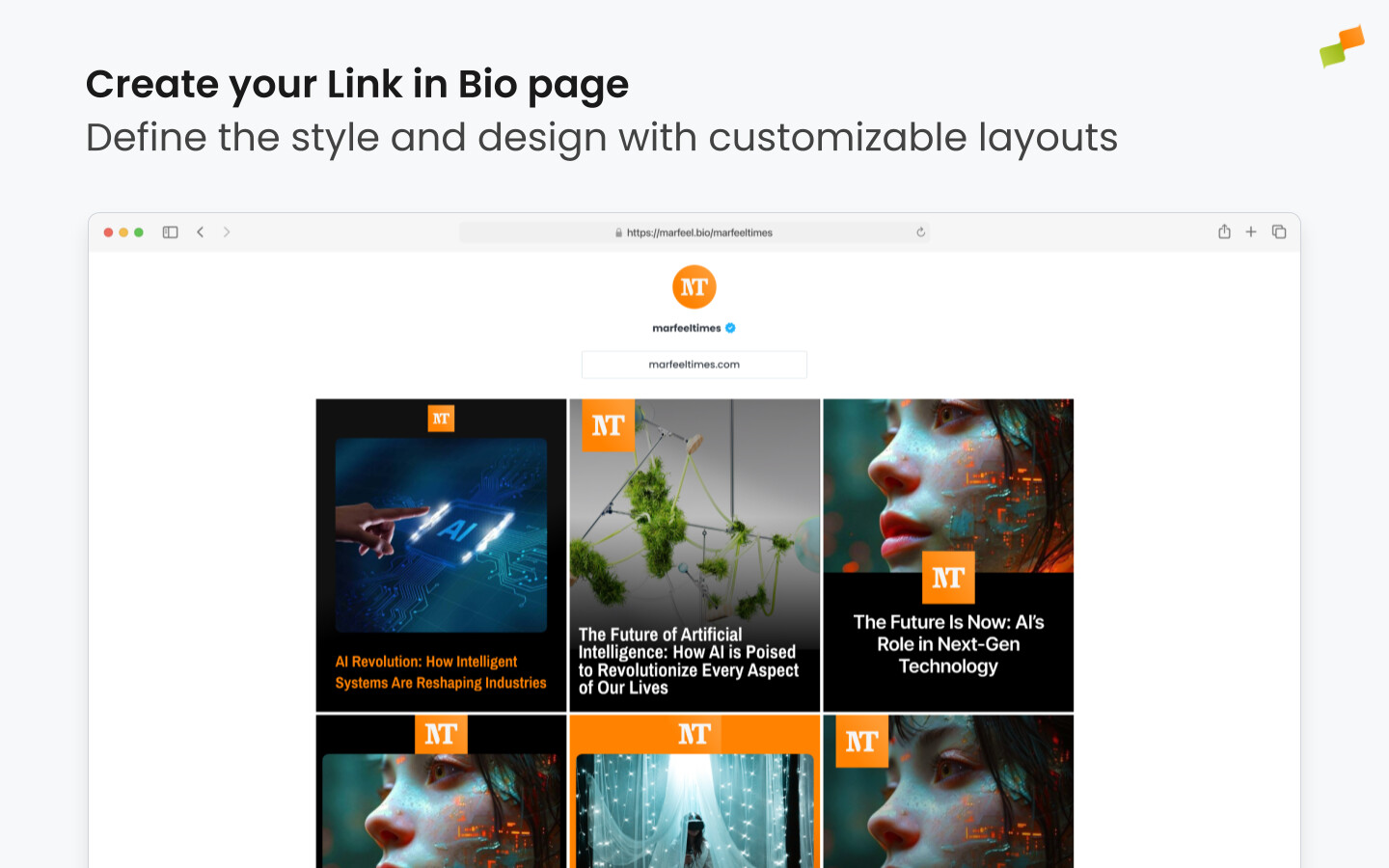
Marfeel automatically generates a Link in Bio page for your feed and inserts entries for each article you publish. To configure your Link in Bio page, access your account settings > Link in Bio. You will be presented with a list of the feed’s Link in Bio settings, which are:
Layout
Section titled “Layout”Governs the appearance of your Link in Bio page. You can clone or edit this layout to customize its look. We recommend you work with your design team and apply the same practices discussed in the Layouts page.
Avatar
Section titled “Avatar”The small image used in mobile apps and in browser windows, often the isotype of your logo. Will be used on your Link in Bio page. If no avatar is set at the account level, the global avatar will be used.
The URL that will appear in your profile, pointing visitors to your Link in Bio page.
Link text
Section titled “Link text”The anchor text displayed on your Link in Bio page.
Once your Link in Bio is correctly set up, copy the generated Link in Bio link at the top of the configuration page and add it to your feed description on Instagram or the platform of your choice.
Which articles appear
Section titled “Which articles appear”Your Link in Bio page surfaces articles published in the last 7 days. The window slides forward automatically as you publish, so the page always reflects your most recent content with no manual maintenance.
If you publish less frequently and have fewer than 50 articles within the past 7 days, the page falls back to your 50 most recent articles regardless of date. This floor guarantees the page is never sparse, even during quieter publishing periods.
🎓 Become a Marfeel Amplify expert 📣 Learn how to publish smarter, automate sharing, and optimize your social strategy with our Marfeel Amplify Course.
✅ Workflow-focused training ✅ Automation strategies ✅ Certificate of completion included

🧠 Start now on Marfeel Academy.
How do I set up a Link in Bio page in Amplify?
Go to your Amplify account settings and select Link in Bio. Configure the layout, avatar, link, and link text. Then copy the generated Link in Bio URL and add it to your Instagram profile or any other platform that does not support in-post links.
Why do I need a Link in Bio page for Instagram?
Instagram and some other social platforms do not allow clickable links inside regular posts. A Link in Bio page gives you a single URL to place in your profile that links to all the articles you publish, letting you drive traffic back to your website.
Can I customize the appearance of my Link in Bio page?
Yes. Each Link in Bio page has a configurable layout that you can clone or edit. You can apply custom branding using the same practices from the Amplify Layouts page, and set a custom avatar for your feed.