

Amplify post types for social distribution
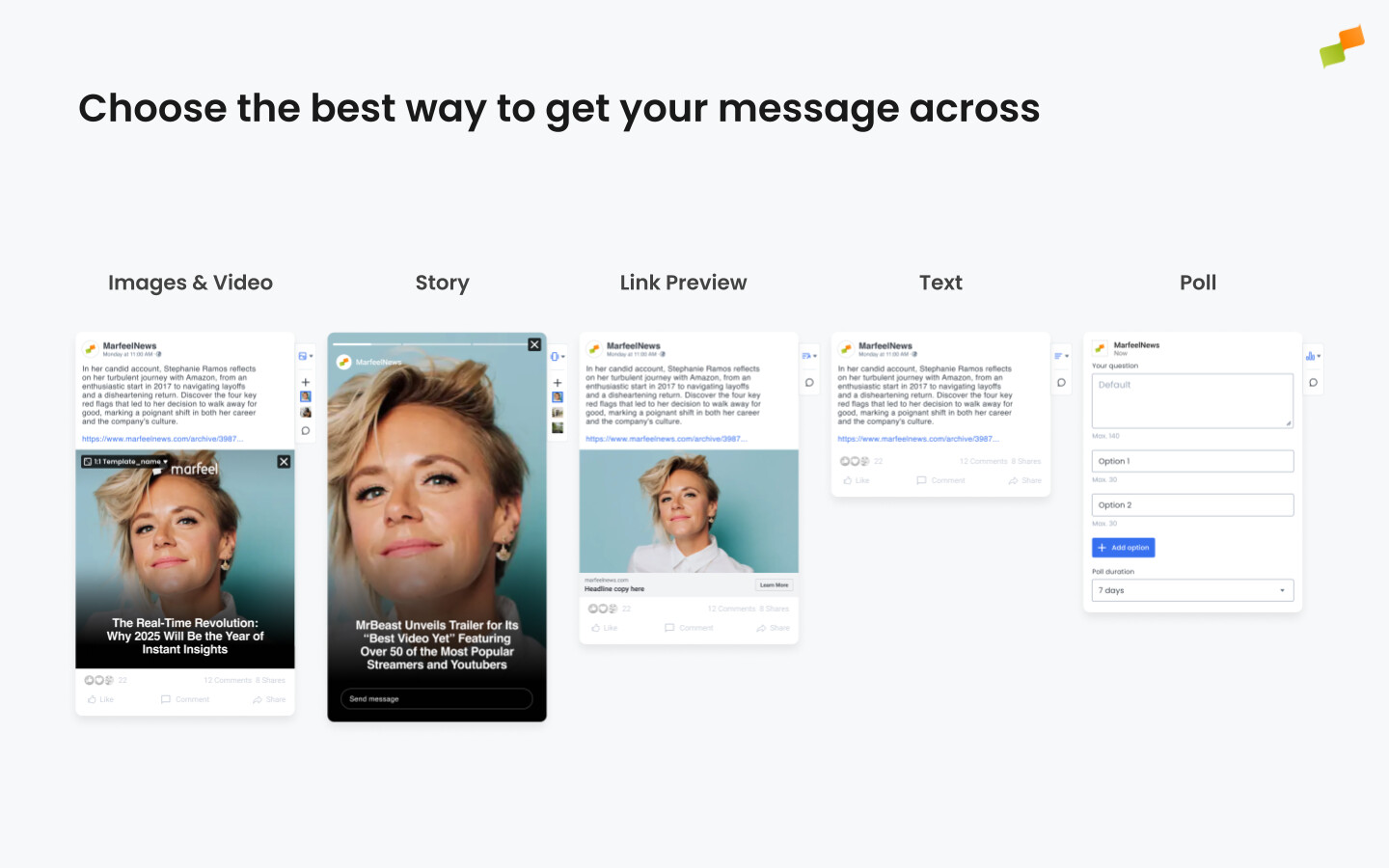
The post type you select determines how audiences engage with your content on each social platform. Matching the right format to your content goals and each channel’s strengths is where publishers see the best results. Select post types from the right-hand panel when amplifying an article; available options vary by channel.
Smart is an automated post type that picks the right format for each article. When an article has a video, Smart publishes a native video post. For everything else in autopilot, Smart picks between layout post and link preview algorithmically, optimizing for engagement. In manual scheduling, Smart falls back to the format set in your channel settings.
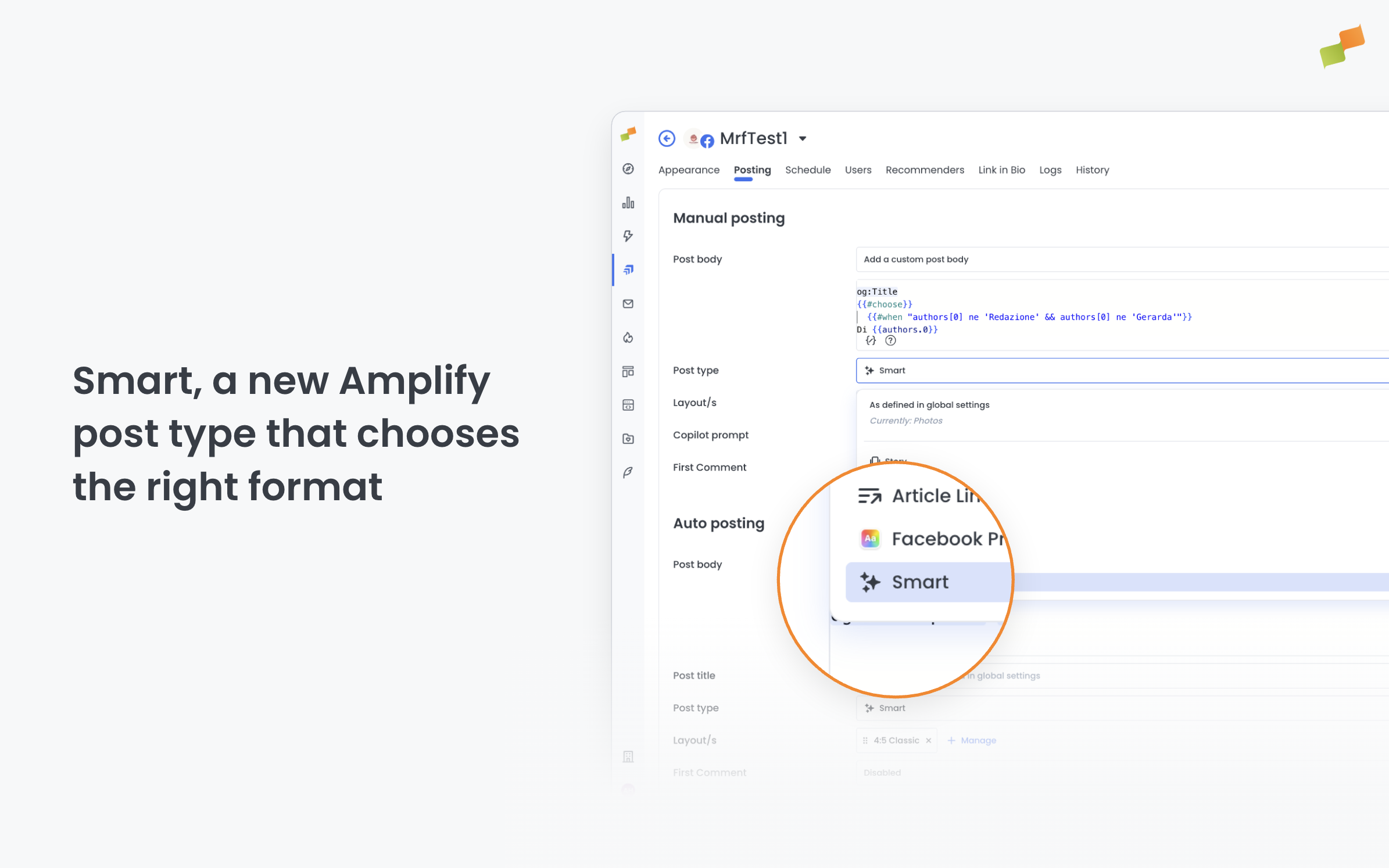
Smart applies to new posts only and is tagged automatically so you can track performance separately. To identify articles with a video, Smart uses Marfeel’s main video detection.
Images and video
Section titled “Images and video”Single image or video posts present your lead visual with maximum impact. This format works best when you need to convey the essence of a story at a glance. For articles with multiple compelling visuals, carousels let readers swipe through highlights, making them especially effective for photo essays, listicles, or multi-part stories.
You can customize the aspect ratio and apply branded layout templates to ensure every image matches your publication’s visual identity.
Stories
Section titled “Stories”Stories are built for urgency. Their full-screen vertical format (9:16) and 24-hour visibility window make them the go-to choice for breaking news alerts, live event coverage, and time-sensitive announcements.
Stories are available on both Facebook and Instagram, making them ideal for reaching audiences across platforms with consistent visual messaging.
Because stories appear at the top of users’ feeds, they are particularly effective for driving immediate attention and engagement. Keep visuals vertical, concise, and focused on a single message or call to action.
Link preview
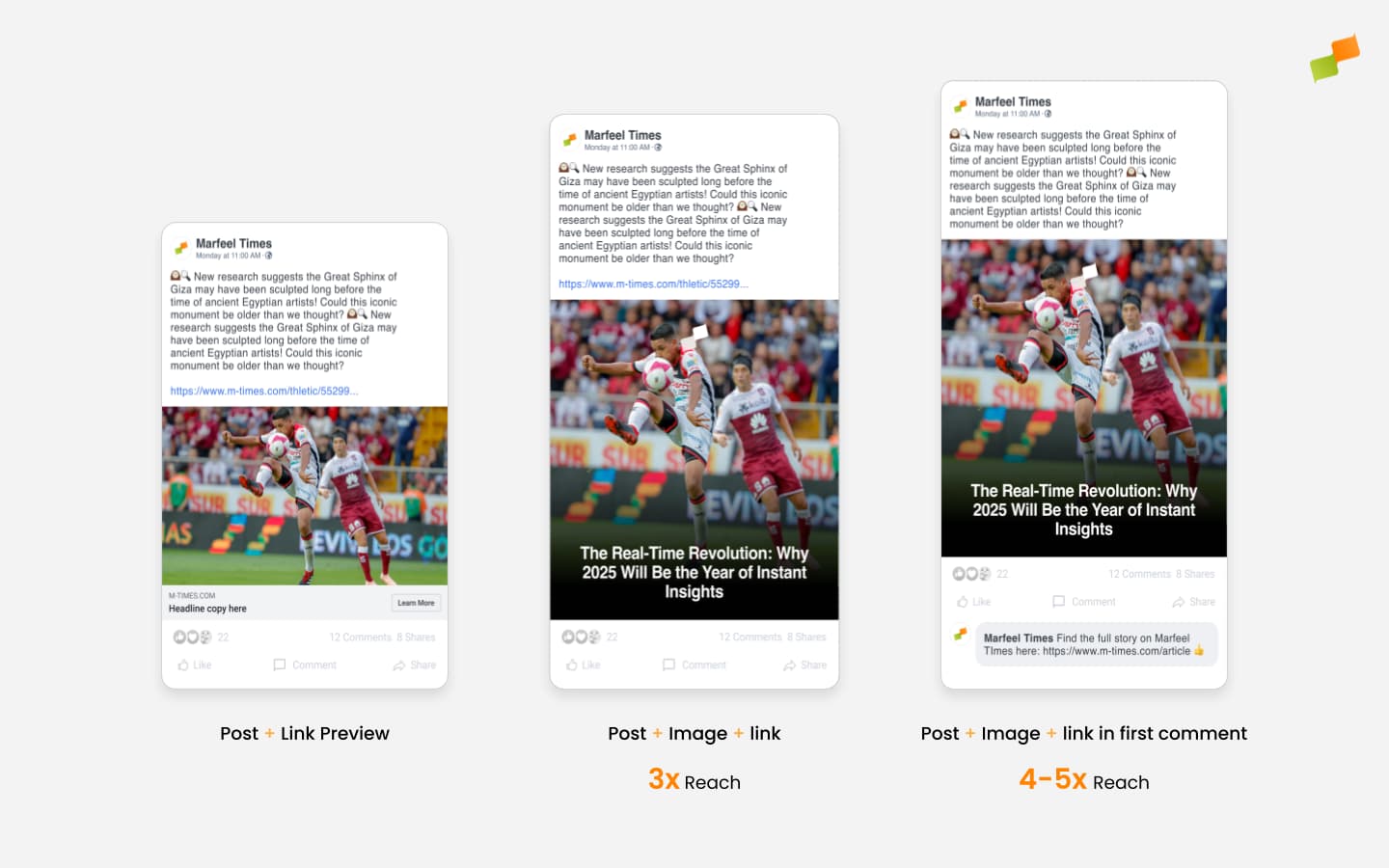
Section titled “Link preview”Link previews rely on platform-generated display of your article metadata. The content pulls from your Open Graph tags and is therefore not customizable. Custom images have been shown to usually outperform automated previews.
Where you place the link also affects reach. For more control over link placement and tracking, consider using text posts with links in the body or first comment instead.
🎓 Become a Marfeel Amplify expert 📣 Learn how to publish smarter, automate sharing, and optimize your social strategy with our Marfeel Amplify Course.
✅ Workflow-focused training ✅ Automation strategies ✅ Certificate of completion included
🧠 Start now on Marfeel Academy.
Text posts with links placed in the body or in the first comment provide a clean way to share articles while potentially avoiding platform reach limitations. On Facebook, text posts can feature colored background presets that increase the text and overall post size, helping content stand out in crowded feeds.
Polls transform standard posts into conversation starters. They work particularly well for opinion pieces or stories where gauging reader sentiment adds value.
Facebook presets
Section titled “Facebook presets”Facebook visual presets let you style posts with customizable backgrounds and font treatments. Presets are selected manually and enhance the visibility of both text-only and image-based posts. They are especially effective for short, high-impact messages where grabbing attention in a busy feed matters most.
Text-only posts
Section titled “Text-only posts”When composing a text-only post, you can choose from a variety of preset backgrounds: solid colors, subtle gradients, or patterns. Applying a preset increases the font size and centers the text, making the message more prominent. This format is ideal for questions, bold statements, reminders, or quick announcements that do not require a link or visual asset.
Text + image posts
Section titled “Text + image posts”Presets can also be used alongside images. Your selected preset (background and font style) appears behind the text, while the image displays underneath. This layout preserves the impact of the styled message while including a relevant visual.
Keep in mind how image formats behave across devices:
- A landscape image (16:9) displays well on mobile but may appear cropped on desktop.
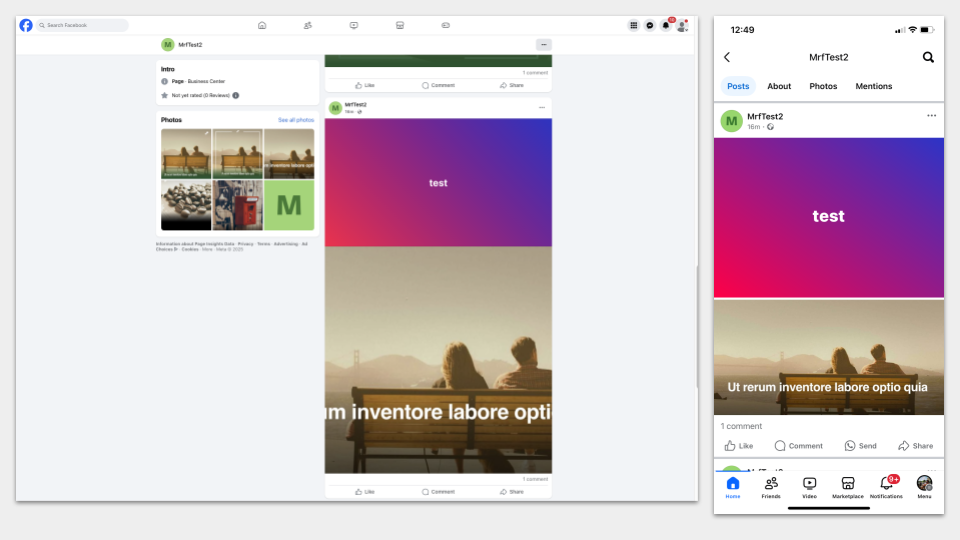
- A square image (1:1) looks better on desktop but can be partially cropped on mobile.
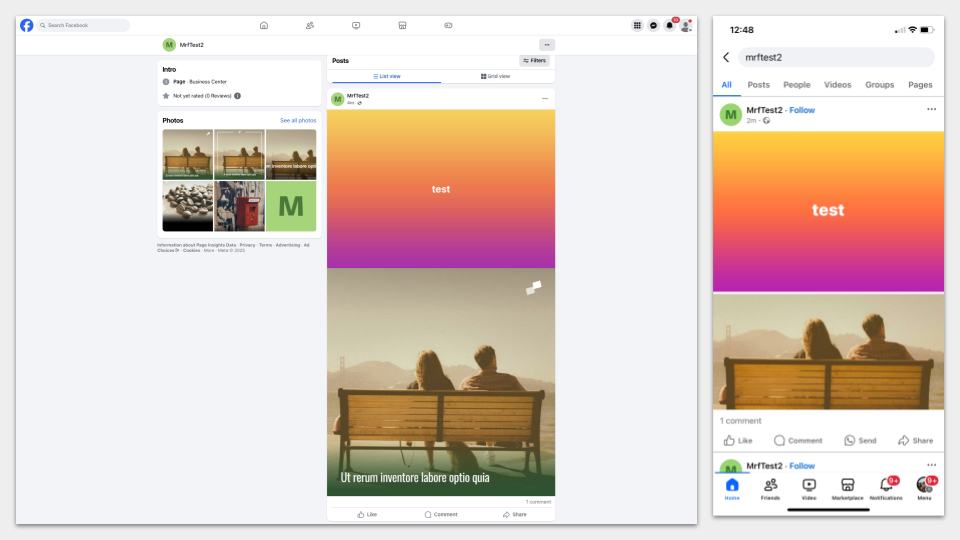
In both cases, if the image is cropped in the feed, users can click to view it in full.
Post type filters
Section titled “Post type filters”In Organic Social, you can filter the posts list by type to review a single format without scrolling through the whole feed. Available values are Video, Photos, Photos & Videos, Story, Text, Poll, and Article Link Preview. The post type filter combines with the other post filters to narrow results further.
Which Amplify post types are available for social distribution?
Amplify supports images, video, carousels, stories, link previews, text posts, and polls. Available options vary by channel and can be selected in the right-hand panel when creating a post.
When should I use stories instead of image posts in Amplify?
Stories are best for time-sensitive content like breaking news, live events, or urgent announcements. They use a full-screen vertical format (9:16) with a 24-hour visibility window and appear at the top of users’ feeds on both Facebook and Instagram.
Do custom images outperform link previews on social platforms?
Yes. Link previews pull from Open Graph tags and are not customizable. Custom images have been shown to usually outperform automated previews in reach and engagement.