

UTM parameters for custom traffic attribution
UTM parameters let you tag URLs so that every visitor’s source, medium, and campaign is tracked precisely. When present, UTM parameters take precedence over the Marfeel traffic attribution model, giving you full control over how traffic is classified.
What are UTM parameters?
Section titled “What are UTM parameters?”UTM parameters are custom tags appended to the end of a URL. They track the source, medium, and campaign of a visitor’s journey to your site. When a visitor clicks a UTM-tagged link, the information is passed to the Marfeel platform, providing a detailed picture of where visitors come from and how they arrive.
UTM parameters explained
Section titled “UTM parameters explained”There are 5 UTM parameters you can use:
- utm_source: identifies the origin of the traffic, such as “google” or “facebook”.
- utm_medium: identifies the type of traffic, such as “cpc” for cost-per-click advertising or “social” for social media.
- utm_campaign: identifies a specific marketing campaign, such as “spring_sale” or “morning_newsletter”.
- utm_term: identifies the keywords used in paid search campaigns.
- utm_content: differentiates between versions of the same ad or message, such as “banner_1” and “banner_2”.
Marfeel reports utm_source as Traffic Source, utm_medium as Traffic Medium, and utm_campaign as Traffic Campaign. These dimensions are available throughout the data warehouse and different reports.
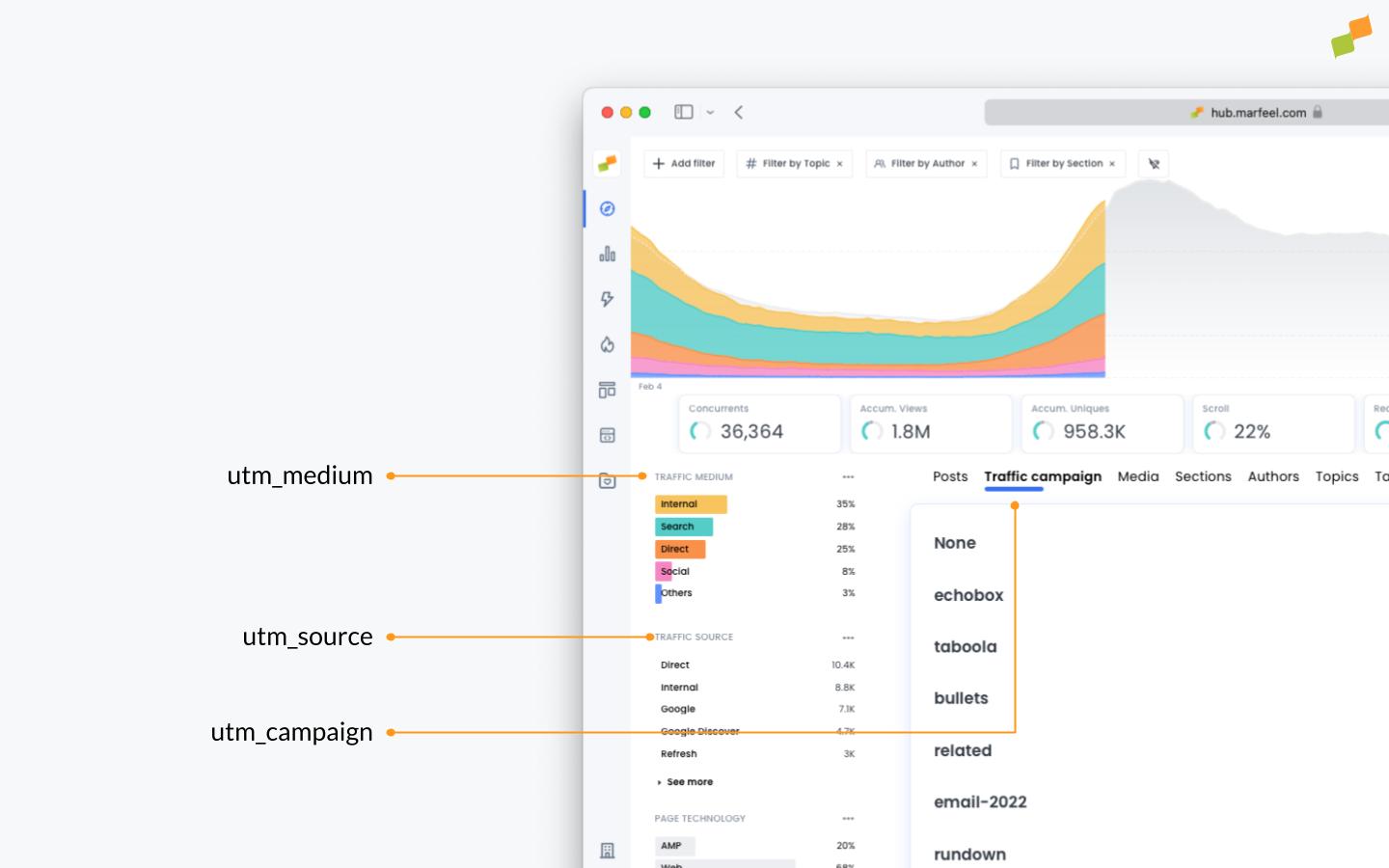
On Explore:
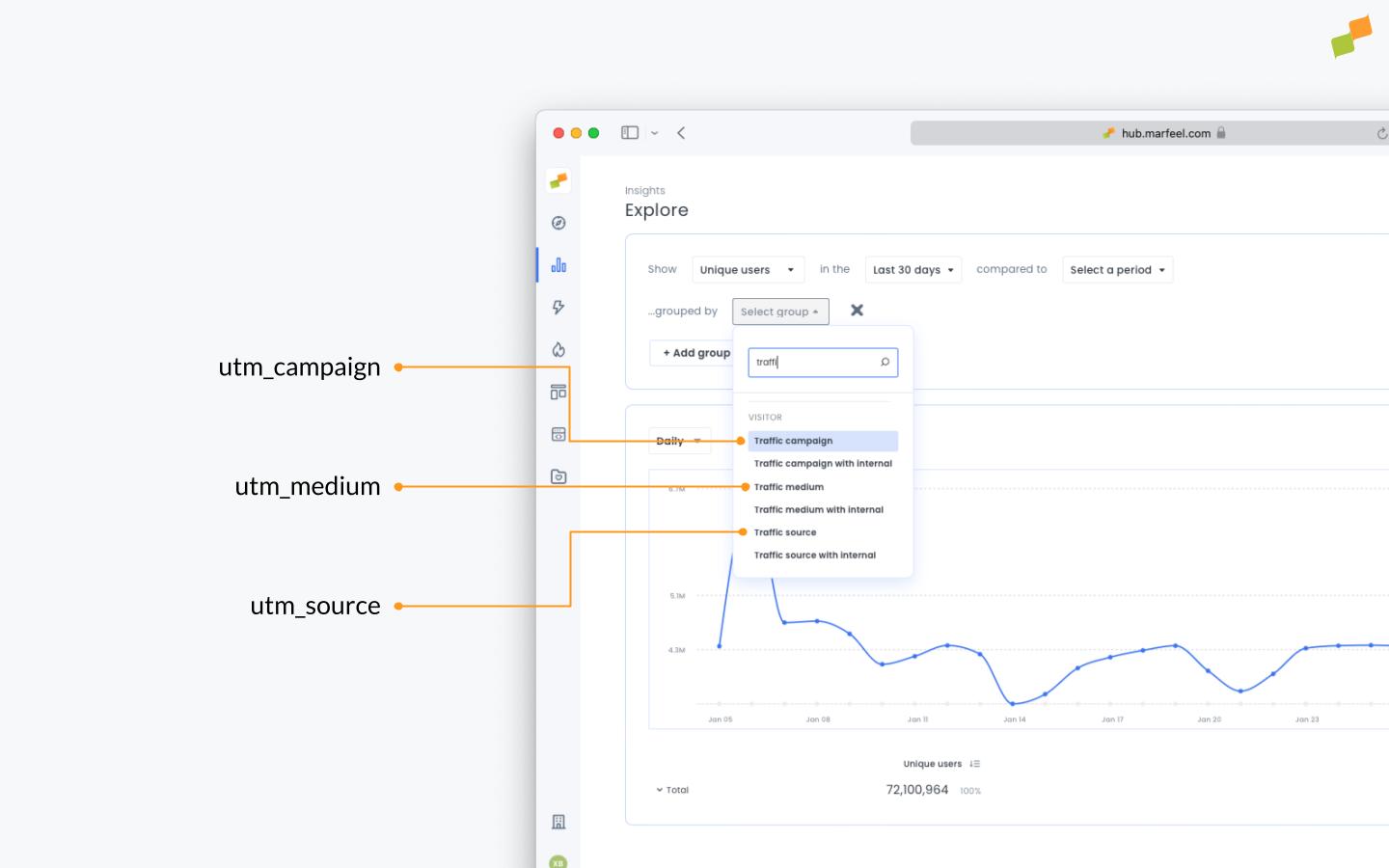
utm_source, utm_medium, and utm_campaign are available on the Marfeel UI. utm_term and utm_content are available in Explore for Enterprise plans.
Marfeel supports a sixth type of UTM utm_cmp_rs to tag internal recirculation.
Practical use cases for UTM parameters
Section titled “Practical use cases for UTM parameters”Common scenarios where UTM tagging drives actionable insights:
- Social media campaigns: add UTM parameters to social post links to identify which platforms drive the most traffic.
- Newsletters and email campaigns: tag links in newsletters and emails to measure which sends are most effective at driving traffic and conversions.
- Paid acquisition: tag paid search and display campaigns to see which keywords and ads perform best.
- Content and internal recirculation: tag links in articles and blog posts to measure which content drives the most engagement.
Creating UTM-tagged URLs
Section titled “Creating UTM-tagged URLs”Append the parameters and their values to the end of the URL:
https://www.example.com/?utm_source=google&utm_medium=cpc&utm_campaign=spring_saleUTM medium is always normalized to lowercase.
- i.e: social, Social, and sociaL would become the same medium.
UTM source is normalized if it’s a known source.
- facebook, Facebook, and FaceBook will become Facebook, as it’s a known source.
- AnExample, Anexample, and anexample would be 3 different sources.
Push notifications
Section titled “Push notifications”Push notifications drive traffic to your site, but without proper UTM tagging, that traffic is misattributed. In Marfeel, untagged push notification traffic is attributed as Dark Social because visitors land directly on an article page. If you see unexplained spikes in Dark Social, untagged push notifications are a common cause, and the traffic attribution troubleshooting guide covers this scenario in detail.
To properly attribute push notification traffic, use utm_medium=Push Notifications, which appears under “Other”. Add utm_source for finer-grained resolution:
utm_medium=Push Notificationsutm_source=type of pushSocial scheduling
Section titled “Social scheduling”When using Amplify for social scheduling, Marfeel automatically handles UTM tagging for your links. If you use other platforms, such as Echobox, to automate and schedule social feeds, use the following combination:
utm_medium=socialutm_campaign=echobox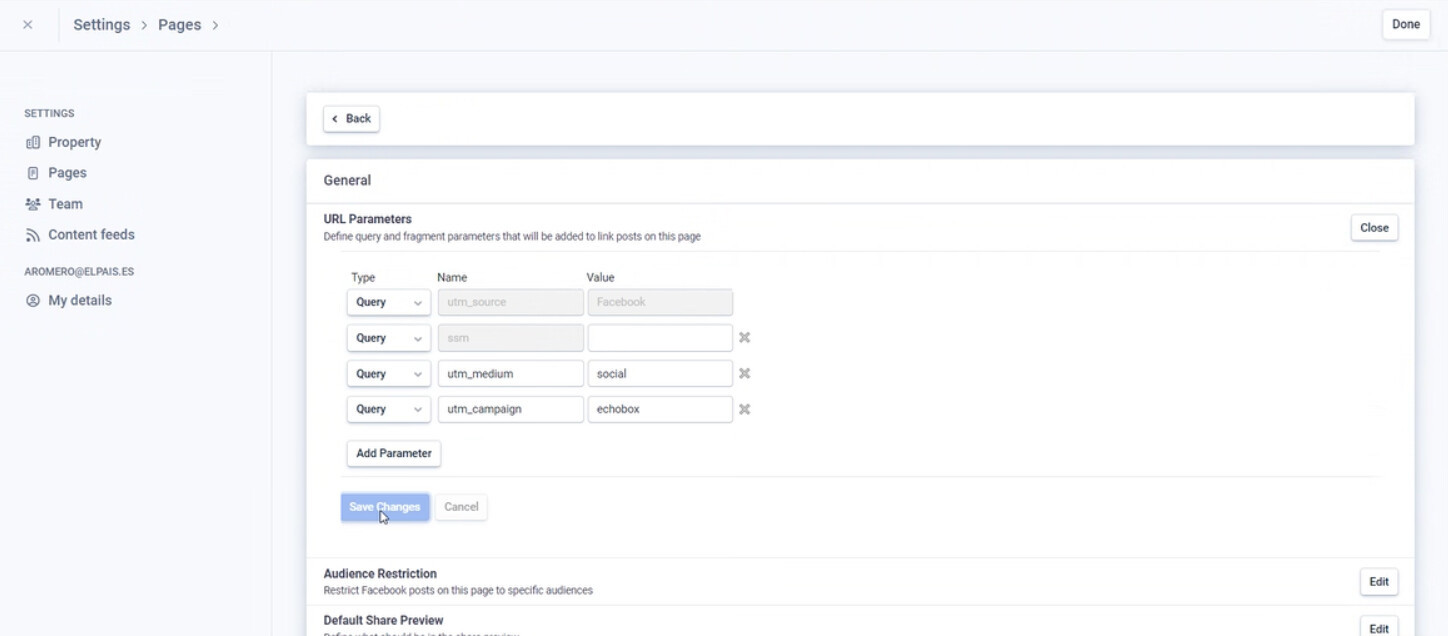
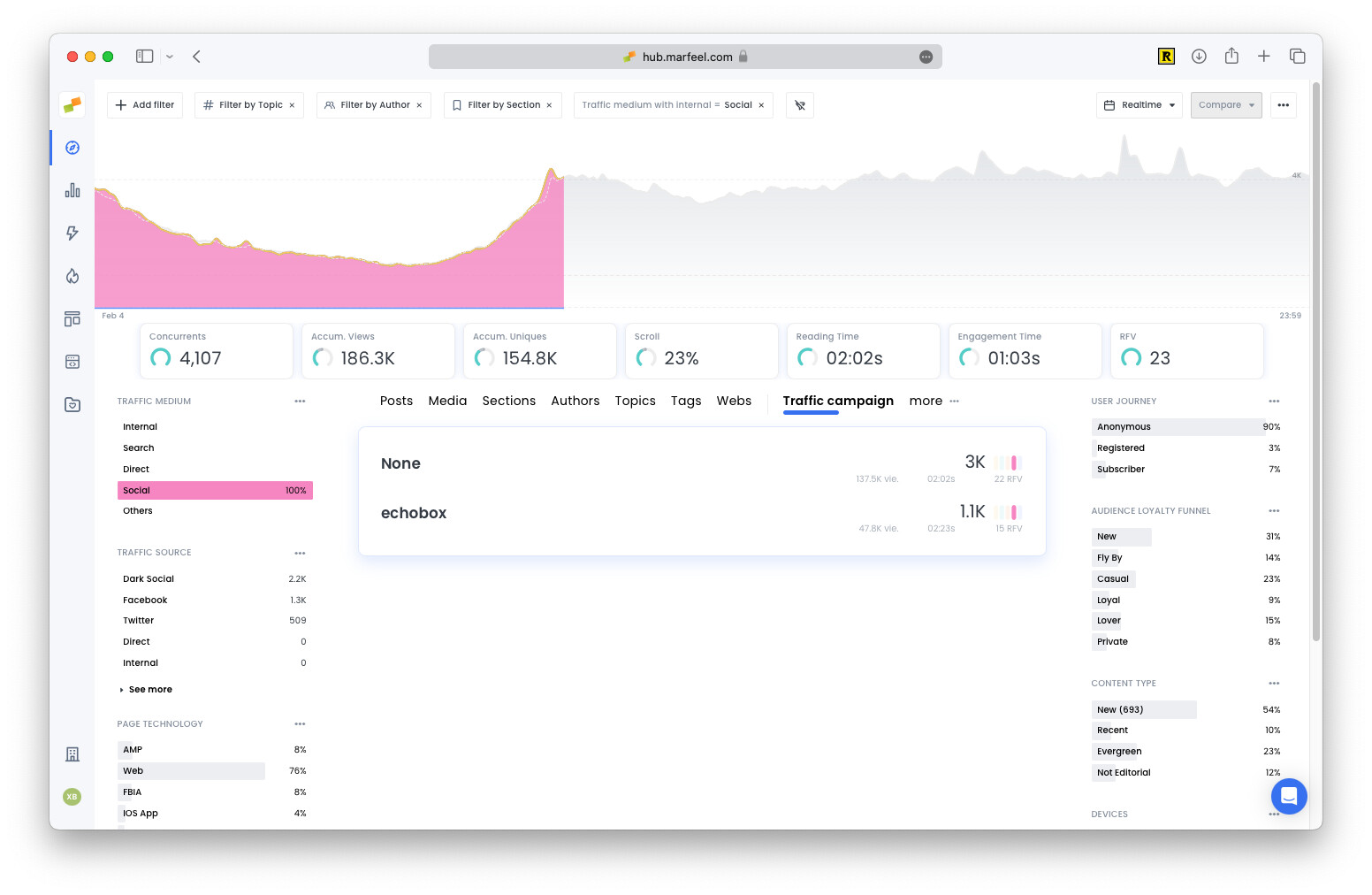
This bundles all social traffic under the Social traffic medium and the corresponding social network (Facebook, Twitter, etc). You can still analyze Echobox’s value by checking Traffic Campaigns.
Paid campaigns
Section titled “Paid campaigns”When running paid acquisition campaigns, for example from Facebook, add: utm_medium=paid&utm_source=Facebook (note paid in lowercase and Facebook with a capital letter).
What are the five standard UTM parameters?
The five standard UTM parameters are utm_source (traffic origin such as “google” or “facebook”), utm_medium (traffic type such as “cpc” or “social”), utm_campaign (specific campaign name), utm_term (paid search keywords), and utm_content (ad or message variant). Marfeel also supports a sixth parameter, utm_cmp_rs, for tagging internal recirculation.
Do UTM parameters override the default Marfeel traffic attribution model?
Yes. When UTM parameters are present on a URL, they take precedence over the automatic Marfeel traffic attribution model. This gives you full control over how specific traffic is classified in your reports.
How should I tag push notification traffic with UTM parameters?
Use utm_medium=Push Notifications, which appears under the “Other” medium. Add utm_source for finer-grained resolution by push type. Without UTM tagging, push notification traffic is attributed as Dark Social because visitors land directly on an article page.