

Syndicated Content: Analytics for multi-site publisher networks
Marfeel’s Syndicated Content Analytics gives multi-site publishers full visibility into how content performs when shared across their network. It tracks both original and republished versions, making it straightforward to measure reach, engagement, and conversions at the article level across every site in the group.
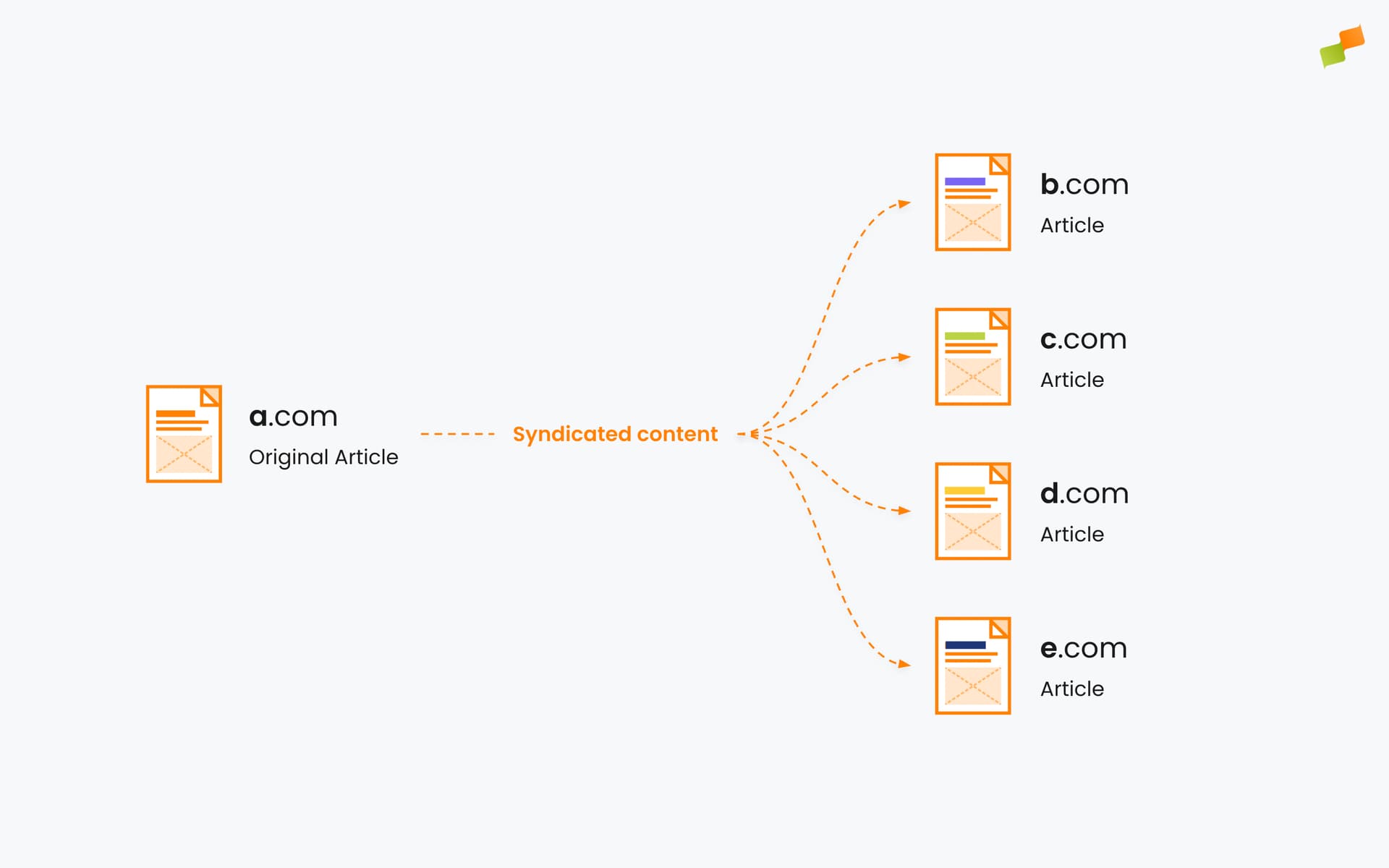
Large media publishers often operate as networks: groups of websites and brands owned by the same organization. These networks typically span different markets, regions, verticals, and languages, or combine regional and national sites. A single article may be published on one site and then republished or syndicated across others within the same group to increase reach, relevance, and efficiency
Syndicated Content Analytics helps answer key questions:
- Which syndicated articles drive the most traffic, subscriptions, or conversions across the group?
- How does original content perform compared to its republished versions?
- Where is each article being distributed and how is it received?
- Are there markets where cross-sharing content works especially well and should be prioritized?
This feature is designed specifically for in-network syndication: content shared across sites owned by the same publisher group. It is not intended for external content partnerships or third-party syndication.
For a full list of required metadata fields and examples, see the Syndicated Content Metadata Guide.
Use cases for publishers
Section titled “Use cases for publishers”Editorial strategy
Section titled “Editorial strategy”- Identify article types that perform best when republished
- Understand which headlines, formats, or timing yield better results
- Inform newsroom planning with cross-site insights
Network-level analysis
Section titled “Network-level analysis”- See how content travels and performs across your domains
- Measure distribution impact at the story level
- Evaluate republishing strategies across brands or regions
SEO and content opportunities
Section titled “SEO and content opportunities”- Track engagement across hreflang and canonical variants
- Compare visibility across localized versions of the same content
- Distinguish revenue and traffic between original and syndicated versions
Who is this for?
Section titled “Who is this for?”Publishers with multi-site networks benefit the most. Ideal scenarios include:
- Multiple brands under one group (e.g., national, regional, or vertical sites)
- Shared editorial operations or centralized content hubs
- International editions or localized site versions
- Internal content syndication workflows
Whether you operate five sites or 50, Syndicated Content Analytics helps you understand and optimize how your stories scale across your own network
Granular filtering and grouping
Section titled “Granular filtering and grouping”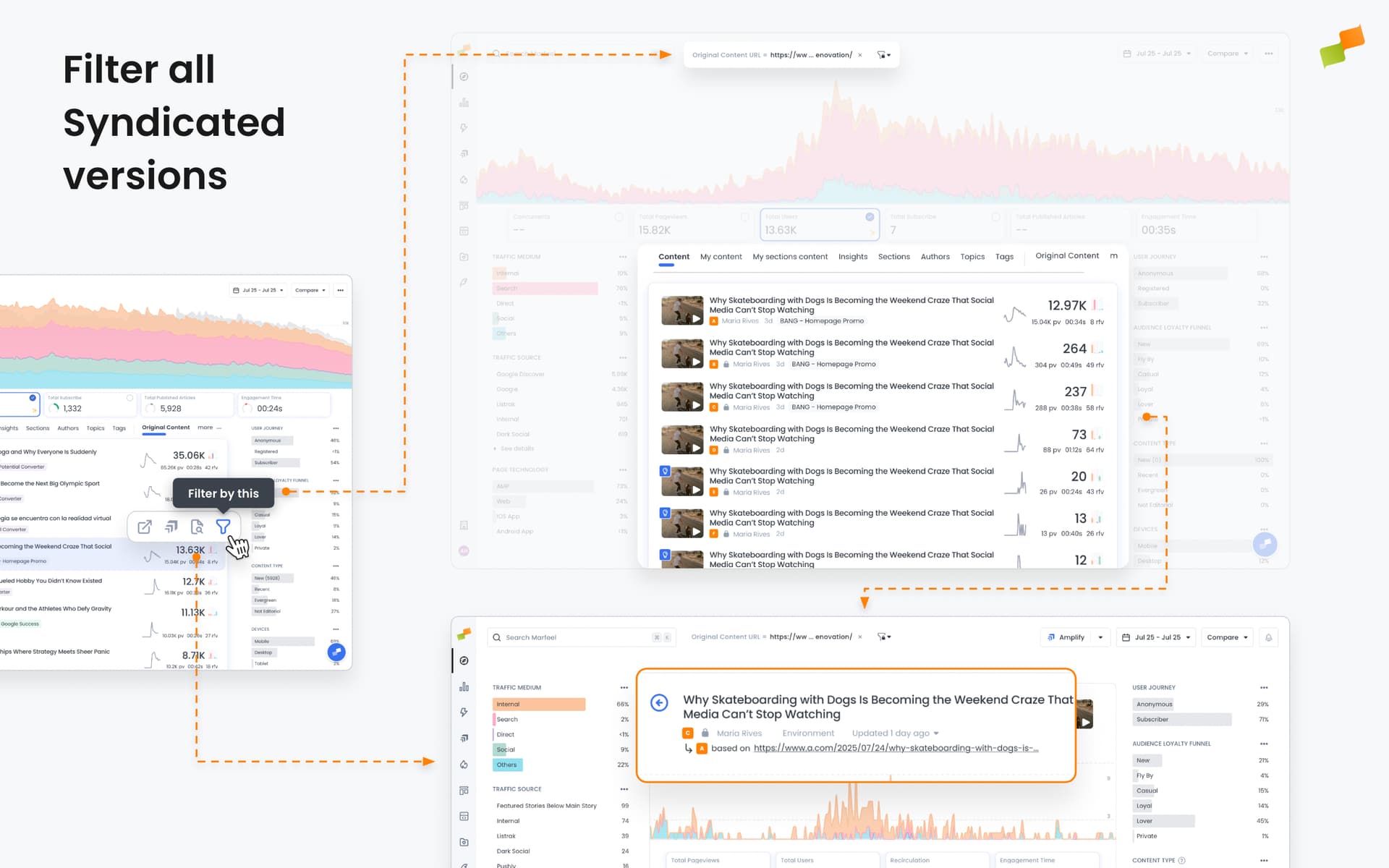
With dedicated dimensions and filters on Compass, Explore, Optimize, and across the platform, you can:
- Filter dashboards by original vs. syndicated content
- Roll up performance metrics for all versions of the same article
- See where each article was republished, how much traffic it received, and from which audiences
- Break down performance by site, brand, or region
You can also analyze:
- Content origin (original vs. syndicated)
- Canonical and syndicated URLs
- Syndication partners within your network
- Author attribution across sites
- Time to publish across republished versions
- Audience and engagement metrics per version
Reference reports
Section titled “Reference reports”- Which articles have not been syndicated?
- How are all my syndicated articles performing?
- Can I see both rolled-up traffic and site-by-site traffic for syndicated content?
Original vs. syndicated content details
Section titled “Original vs. syndicated content details”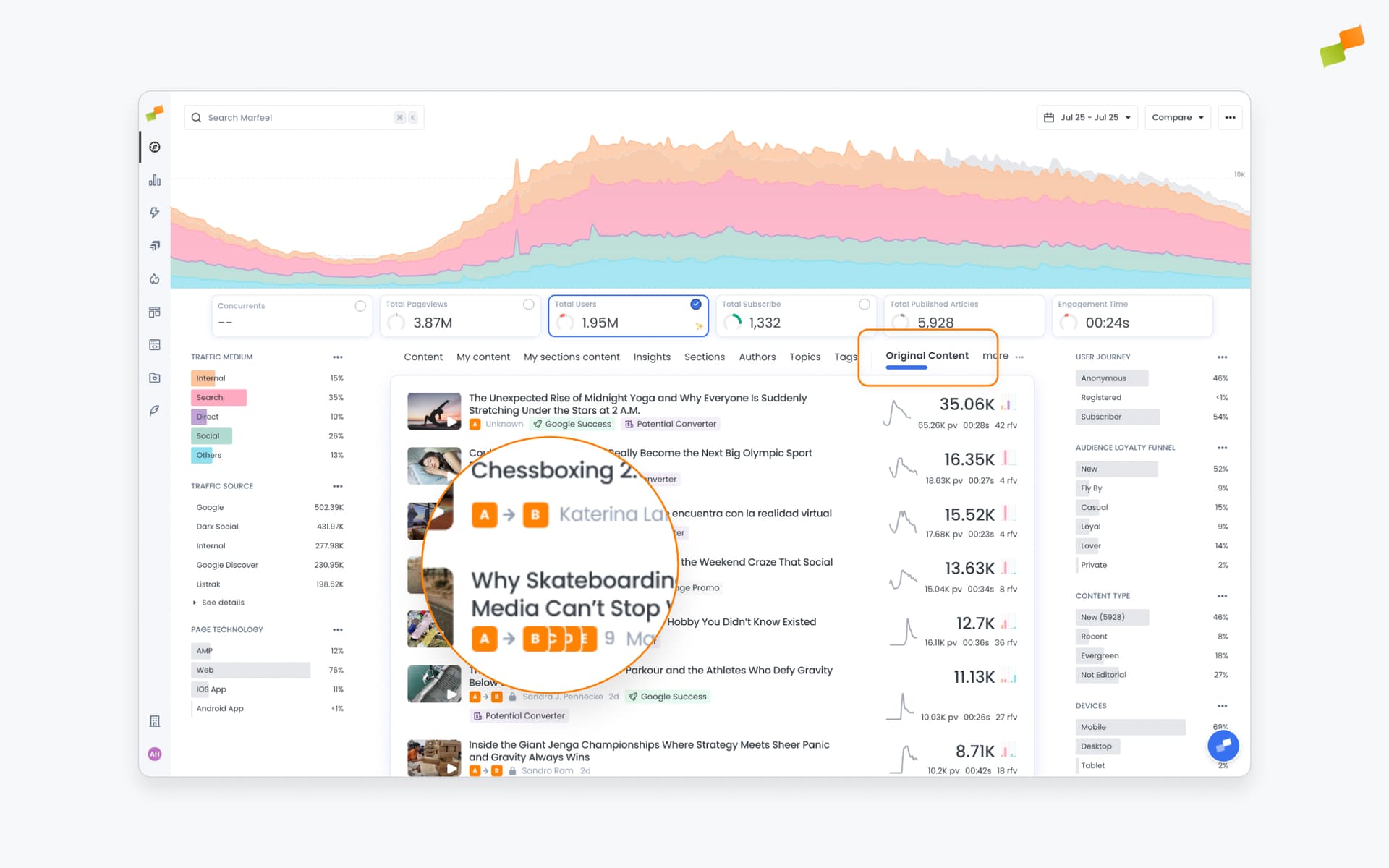
When drilling down into an article’s details, the header differs depending on whether it is original content or a syndicated version.
- If it is an original article, the header displays the favicon of the original site followed by an
→and the favicons of all affiliated syndicated versions. - If it is a syndicated article, the header shows the favicon of the syndicated site and a nested arrow
↳pointing back to the original source (based onisBasedOn).
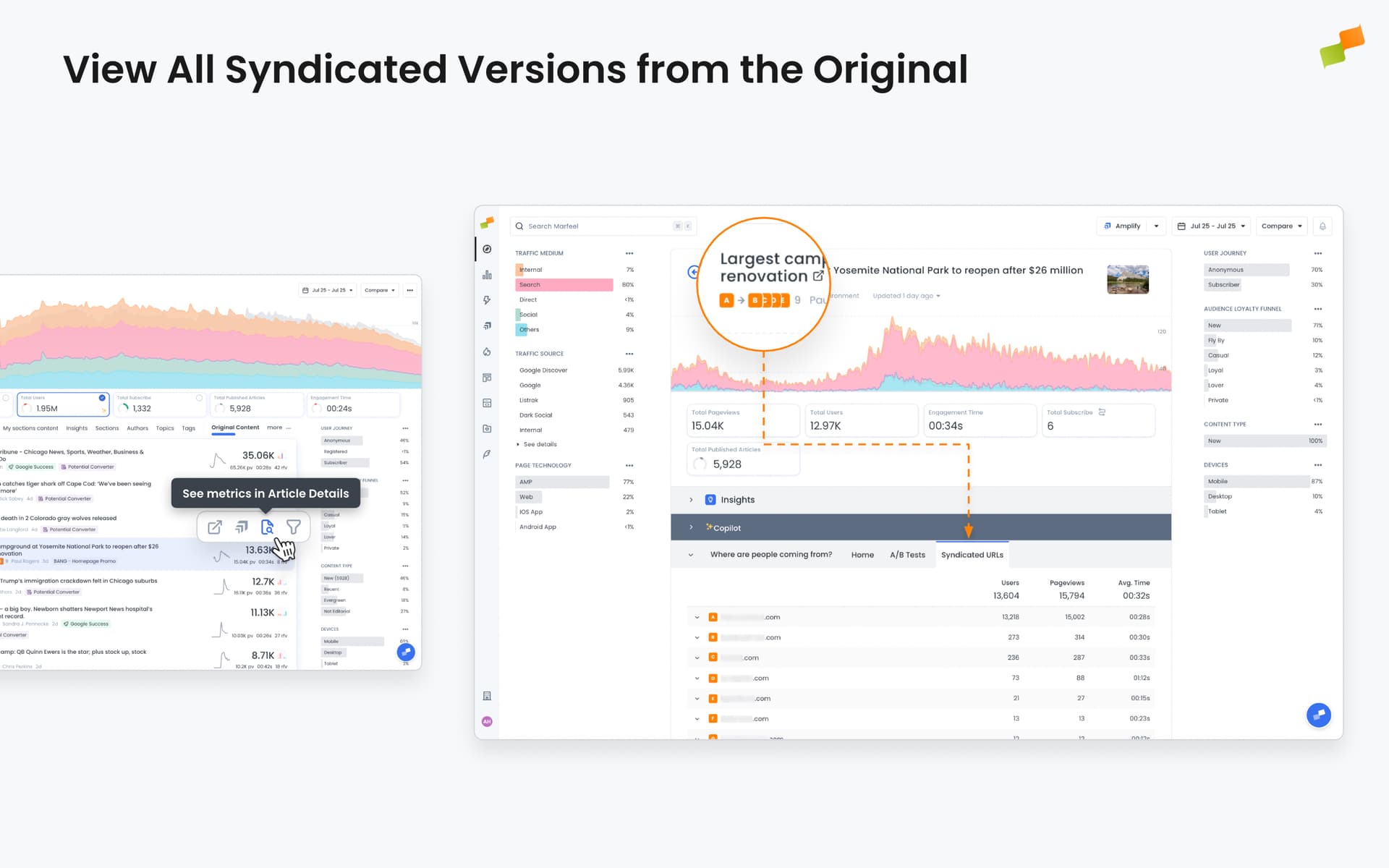
To explore syndicated relationships and performance:
- In Compass View, click on an Original Content row to filter all affiliated articles on the
Contenttab. - In the article details view of an Original article, navigate to the Syndicated URLs tab.
- In Explore or Optimize, use dimensions like Original Content URL or Original Content Title to group and filter related stories.
This contextual display makes it easy to distinguish editorial ownership, track network-wide reach, and investigate how each version of a story performs from all angles including Audience and Conversions.
Add Original Content tab on Compass
Section titled “Add Original Content tab on Compass”You can enable the Original Content tab across your organization in Compass. This tab provides a rolled-up view of all original content, making it easier to track production volume, performance, and publishing cadence at a glance.
- Go to
Organization > General Settings > Compass - Add the
Original Contenttab
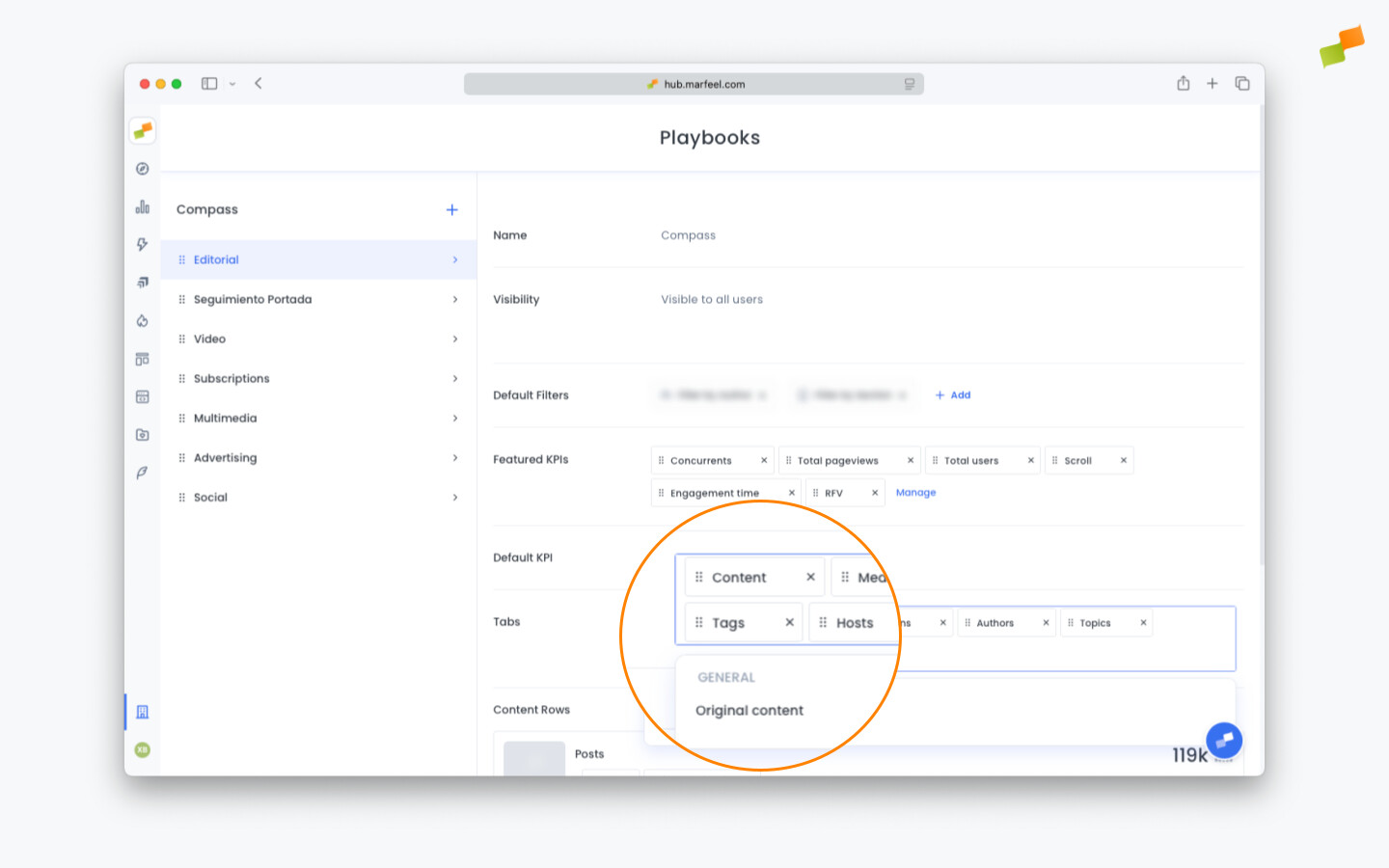
Once added, it becomes visible for all users in your org. Useful for editors, newsroom leads, and anyone needing a clean snapshot of content output.
Amplifying syndicated content
Section titled “Amplifying syndicated content”Syndicated content is fully supported in Marfeel Amplify. When selecting an article to publish, Amplify automatically detects all syndicated versions.
You can:
- Publish the same article across multiple social profiles using the original URL
- Assign different syndicated URLs per profile, so each audience sees the version tied to their market or region
Read more on how to configure Syndicated Content options on Marfeel Amplify.
What is syndicated content analytics in Marfeel?
Syndicated Content Analytics gives multi-site publishers visibility into how original and republished content performs across their entire network. It tracks traffic, conversions, and engagement for every version of an article, broken down by site, brand, or region.
Can I compare original content performance against syndicated versions?
Yes. Marfeel lets you filter dashboards by original vs. syndicated content, roll up performance metrics for all versions of the same article, and break down results by site, brand, or region using dedicated dimensions in Compass, Explore, and Optimize.
Who can use syndicated content analytics?
This feature is available exclusively to Enterprise customers. It is designed for publishers operating multiple brands under one group, shared editorial operations, international editions, or internal content syndication workflows.