

Editorial Crawling troubleshooting
The Editorial Crawler extracts structured data and editorial metadata from every page that receives a user hit. Marfeel uses this data to build a visual representation of how Googlebot sees your site. When a user visits a page and triggers an event, the Editorial Crawler crawls the canonical URL and detects, extracts, and audits the structured data and extra metadata, including the title, author, and section.
This article covers the most common Editorial Crawling issues and how to resolve them.
Missing metadata
Section titled “Missing metadata”Articles sometimes lack editorial information such as the title or author. When this happens, Marfeel displays a plain URL instead of the article metadata, as shown below:
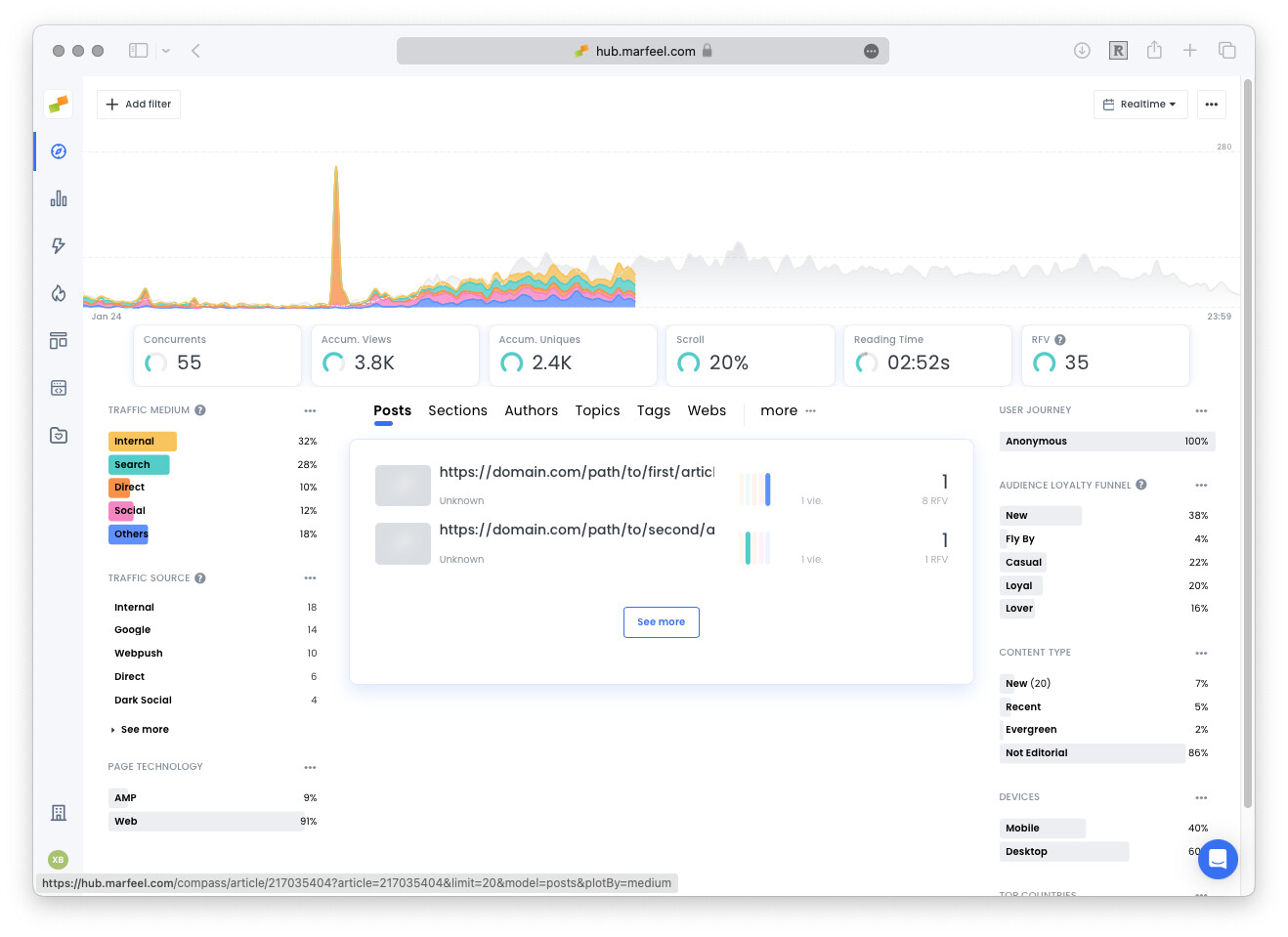
Several situations can cause the Editorial Crawler to fail:
- WAF or Web Application Firewall. The Editorial Crawler follows good citizen practices to throttle the number of concurrent requests per site, but a WAF may still block it. Follow these steps to whitelist Marfeel crawlers.
- URL with a non-existing canonical or without a title or H1. Marfeel crawls all information from the canonical URL. If that URL is broken or missing a title, the editorial information will not be reported correctly. Review your canonicalization strategy to ensure every page declares a valid canonical.
- Yoast in combination with WPRocket cache plugin in WordPress. Read more about known issues with this setup.
- Detection of external sites. If you see domains that you do not own, review your canonicals strategy.
- Using an article preview in your CMS may activate the SDK for traffic tracking. If the link is not yet published, the crawler cannot access or analyze the content. Essential plan users and above benefit from persistent retry attempts with gradually decreasing frequency. On Free plans, the crawler stops after 10 consecutive failures.
- Using JavaScript-generated content or structured data. Although structured data can be injected via JavaScript, studies by Onely and SearchEngineJournal show that JavaScript-generated content causes significant indexing delays in Google. These delays reduce page visibility in search results, affect traffic and rankings, and can cause outdated news content to appear to users. Server-side rendering is recommended for news publishers to ensure timely content delivery.
To force a recrawl of a specific article and refresh its metadata (author, title, article type, and other editorial fields):
- Open Compass and find the article in the list.
- Click the arrow next to the Publish date to expand the options.
- Click Re-crawl.
- After the crawl completes, verify the updated values.
You can use the Editorial Crawler Inspector to verify what the crawler extracted from a specific URL and diagnose metadata issues.
URLs from external hosts in your reports
Section titled “URLs from external hosts in your reports”External domains appearing in your reports usually indicate a canonical or tracking configuration issue. There are several known situations when this can happen:
- When your articles specify a canonical outside of your property
- When users use a reverse proxy
- Shared Google Tag Manager across sites
- Audits on referral pages
- Sites copying your content including Marfeel tracking
External canonical
Section titled “External canonical”Marfeel attributes traffic to the canonical URL declared on the page. If you use syndicated content from a third-party site, you may need to keep their canonical. In that case, all traffic will be classified under the external canonical URL and domain, which differs from your main domain.
If you want you can change the attribution using mrf:canonical
Reverse proxy
Section titled “Reverse proxy”Platforms and tools like translation pages allow users to browse sites using a reverse proxy. Users consume your site content from domains like nproxy.org, anonymouspreview.org, or anonymousviewer.org. These sites serve a copy of your content and rewrite the canonical to their own domain. The Marfeel SDK tracks these sessions and respects the informed canonical.
Translation sites
Section titled “Translation sites”Translation services like Google Translate work as reverse proxies (see above), serving translated versions from domains like https://www-site-com.translate.goog. These services deliver the translated content along with the original JS, CSS, and image resources. The translated page has a modified canonical. The Marfeel SDK tracks hits to the informed canonicals. If a page has no canonical defined, the SDK will track the translated version as a separate URL and host.
Shared Google Tag Manager
Section titled “Shared Google Tag Manager”If Marfeel is implemented via Google Tag Manager, make sure it is only active on the desired sites. In multi-property GTM instances, you may deploy the pixel to multiple properties by mistake.
Domains copying your content
Section titled “Domains copying your content”In some cases, publisher content is illegally copied or replicated including its entire markup and JavaScript tracking. If the Marfeel SDK is included in these replicated domains, Marfeel will track the traffic and attribute it to the canonical URL, which may or may not point to the original domain.
If that is the case, contact Marfeel Support for help obtaining a list of the URLs generating the hits.
Audits of pages without Marfeel pixel
Section titled “Audits of pages without Marfeel pixel”The Marfeel Editorial crawler crawls any URL with a real user hit. If the URL is under the same domain, the crawler also processes the referral URL to provide Previous pages information.
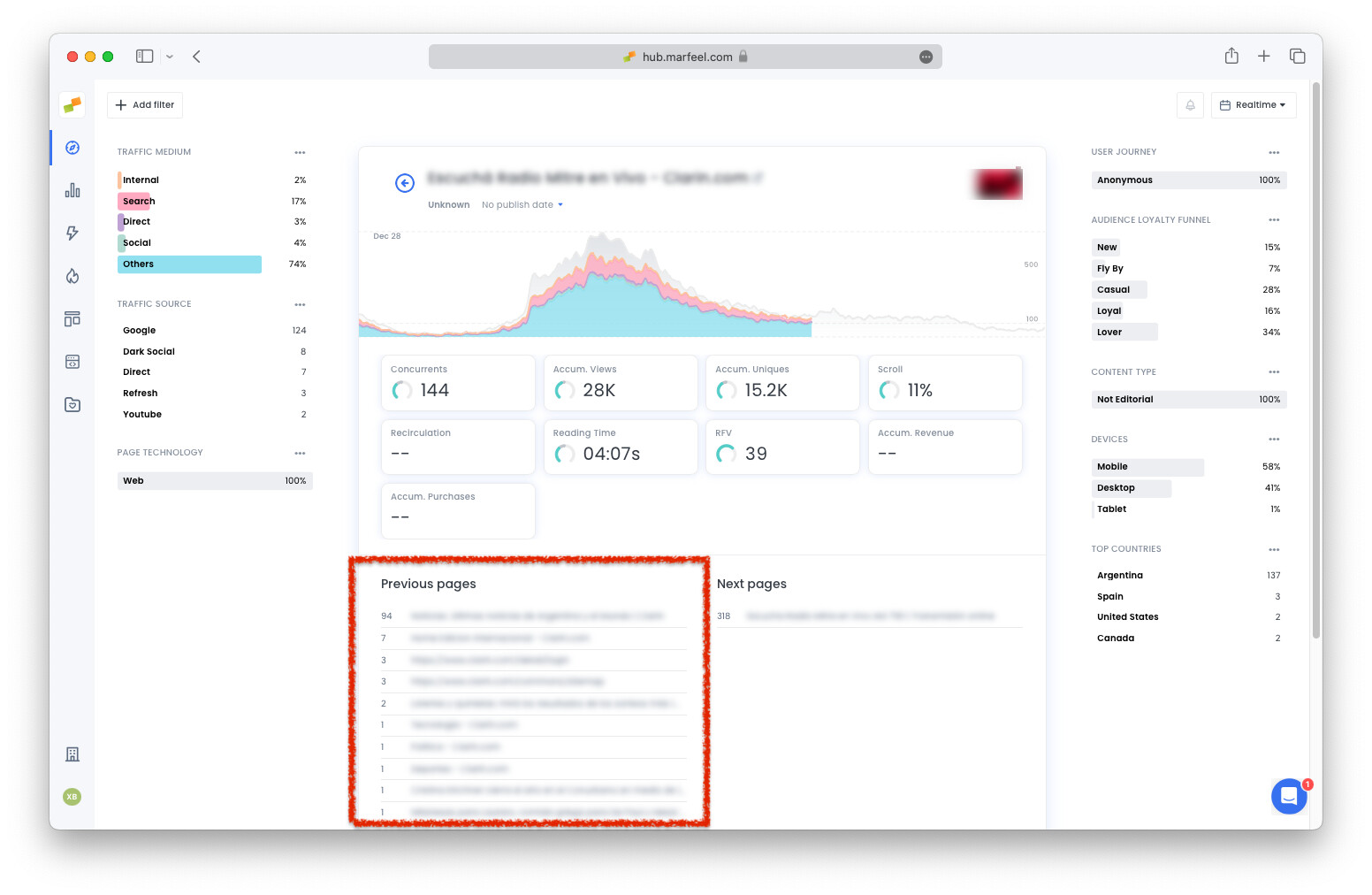
URLs discovered by the Editorial crawler are then processed by the Audits crawler.
Some publishers add the Marfeel pixel only on certain folders or URLs within a main domain. For example, the pixel is present on domainA.com/folder/article but not on domainA.com. When a user coming from domainA.com/any/referral navigates to domainA.com/folder/article, the Editorial Crawler will crawl both URLs. If any audit triggers on the referral page, Marfeel will report those issues even though the pixel is not present on that page.
Why is my article showing a plain URL instead of its title and author?
The Editorial Crawler could not extract metadata from the page. Common causes include a WAF blocking Marfeel crawlers, a broken or missing canonical URL, Yoast combined with WPRocket cache in WordPress, unpublished CMS preview links, or JavaScript-generated structured data that the crawler cannot render.
Why do I see external domains I don't own in my Marfeel reports?
External domains appear when articles specify a canonical URL outside your property, when users browse through a reverse proxy or translation service, when a shared Google Tag Manager deploys the Marfeel pixel to unintended sites, or when third parties copy your content including the Marfeel SDK.
How do I get Marfeel to re-crawl an article after updating it?
Marfeel automatically re-crawls any article that still receives traffic and has a Last Update date later than the most recent crawl. Make sure the last update meta tag on your page reflects all content changes so the crawler picks them up.