

Export Marfeel data as CSV files from Explore
How to export Marfeel data as a CSV file
Section titled “How to export Marfeel data as a CSV file”Any query built in Explore can be exported as a CSV file and imported into Excel, Google Sheets, or any spreadsheet application.
-
Go to Explore and create your query.
-
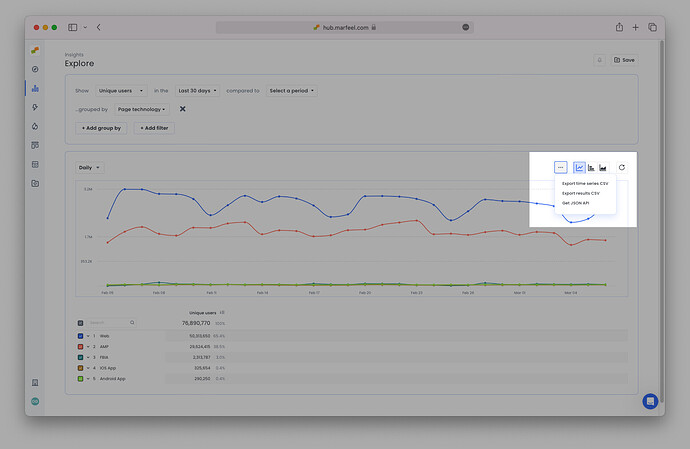
Click the three dots to the top right of the chart to open the export options.
-
There are two CSV export formats:
-
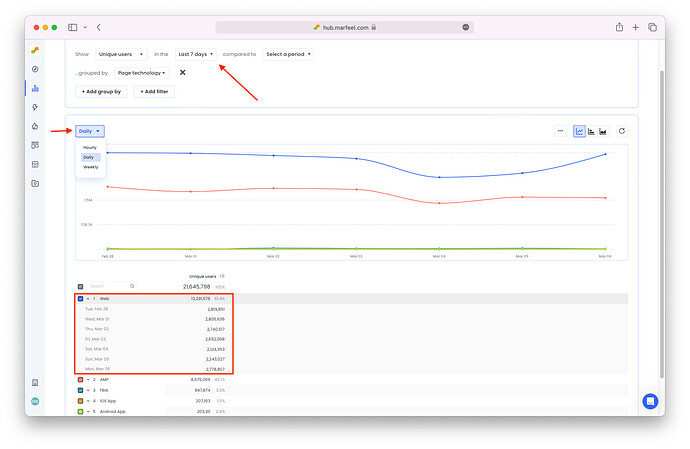
Time series CSV Choose this option to include the metrics broken down by your preferred time granularity:
-
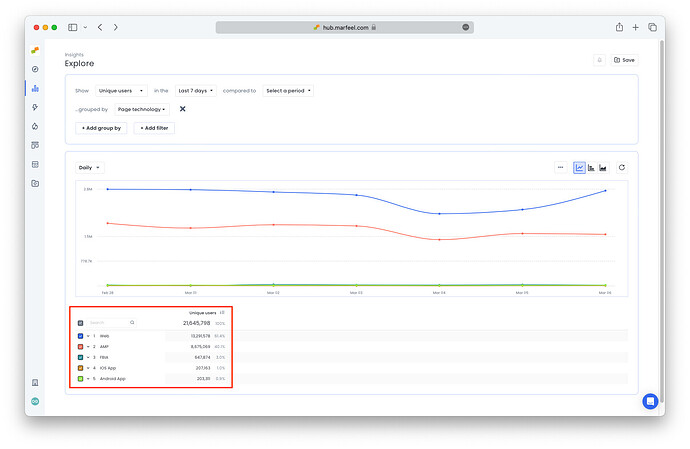
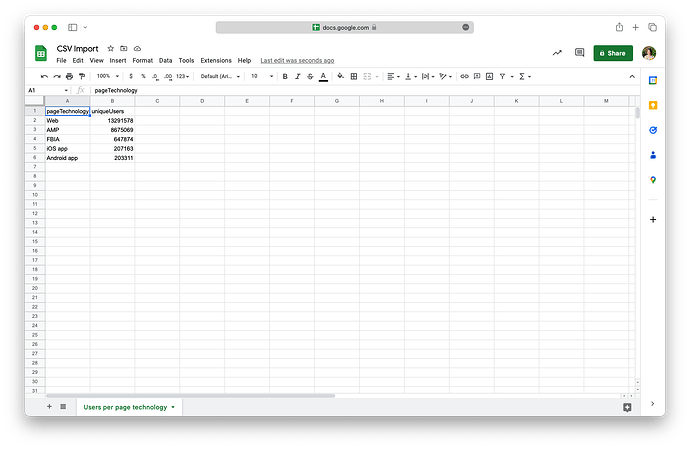
Results CSV Choose this option to export the overall results (totals) of the query:
-
-
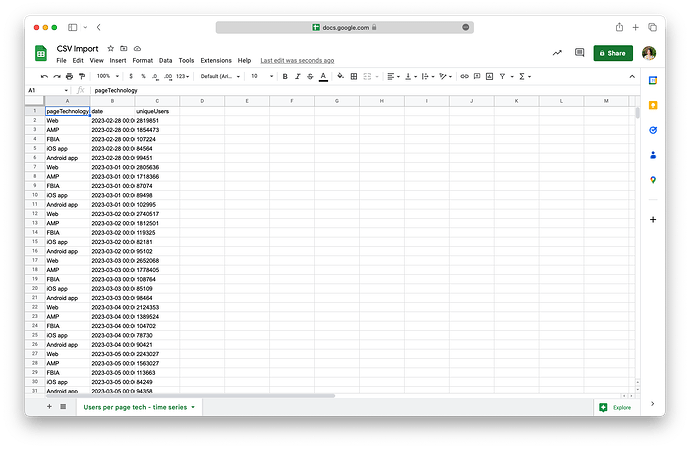
Import the CSV file into Excel, Google Sheets, or wherever you choose to view the data.
-
Imported time series CSV
-
Imported results CSV
-
Other data export options from Marfeel
Section titled “Other data export options from Marfeel”CSV files are one of several ways to get data out of Marfeel. For a full comparison, see the data exports overview.
- API [link]
- Marfeel Google Sheets Add-on
- Export to Google Sheets and Excel directly from any Explore report
- Raw data exports [link to overview]