

Marfeel SDK integration options for every platform
The Marfeel tracker is a lightweight JavaScript snippet that monitors user actions and sends data to the Marfeel analytics servers. Installing this tracking code on your site is the first step to start using Marfeel.
Marfeel provides SDKs for the following platforms:
- Javascript SDK
- Google AMP
- Facebook Instant Articles
- Android Applications
- iOS Applications
- Webview based applications
- Apple News
- Alexa
- HbbTV Connected TVs
- SmartNews
- Newsbreak
Each SDK is optimized for its platform while providing consistent analytics data across all distribution channels. For details on how the JavaScript SDK affects site loading, see Marfeel Javascript SDK Performance.
Page Technology dimension
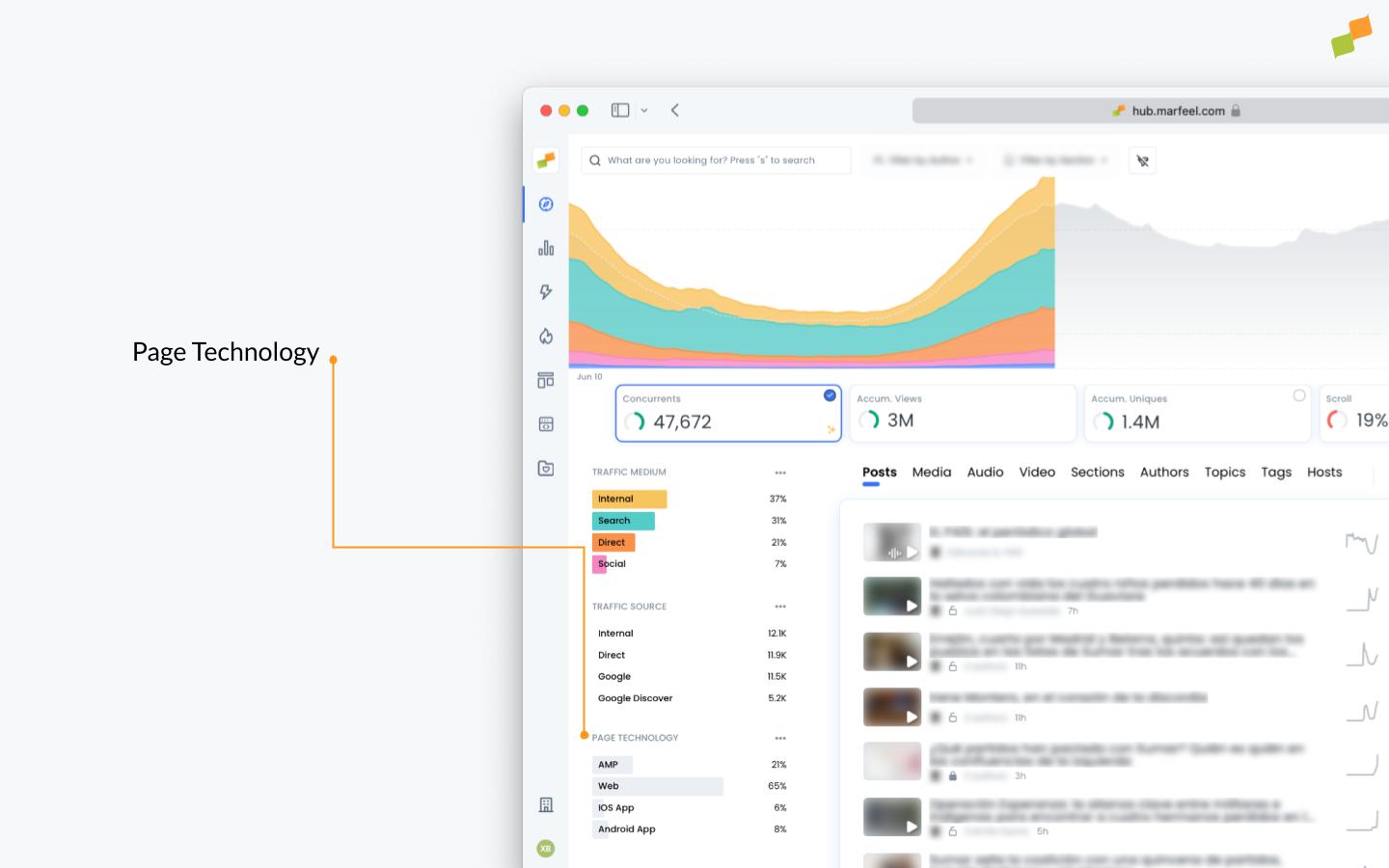
Section titled “Page Technology dimension”Marfeel encodes the active SDK into the Page Technology dimension, which provides a unified view of how content is consumed regardless of the distribution channel readers use.
Each Marfeel SDK automatically assigns a value according to this table:
| Id | Page Technology |
|---|---|
| 0 | Web |
| 1 | AMP |
| 2 | FBIA |
| 3 | iOS App |
| 4 | Android App |
| 5 | Flowcards |
| 7 | App |
| 8 | Apple News |
| 9 | Alexa |
| 10 | HbbTV Connected TVs |
In Compass, Page Technology data appears as shown below:
Declare custom Page Technologies
Section titled “Declare custom Page Technologies”You can define custom Page Technologies to match your business requirements:
- Go to the Page Technologies admin page
- Declare the new
Page Technologiesyou need. - Use the new identifier or the provided snippet to track your users
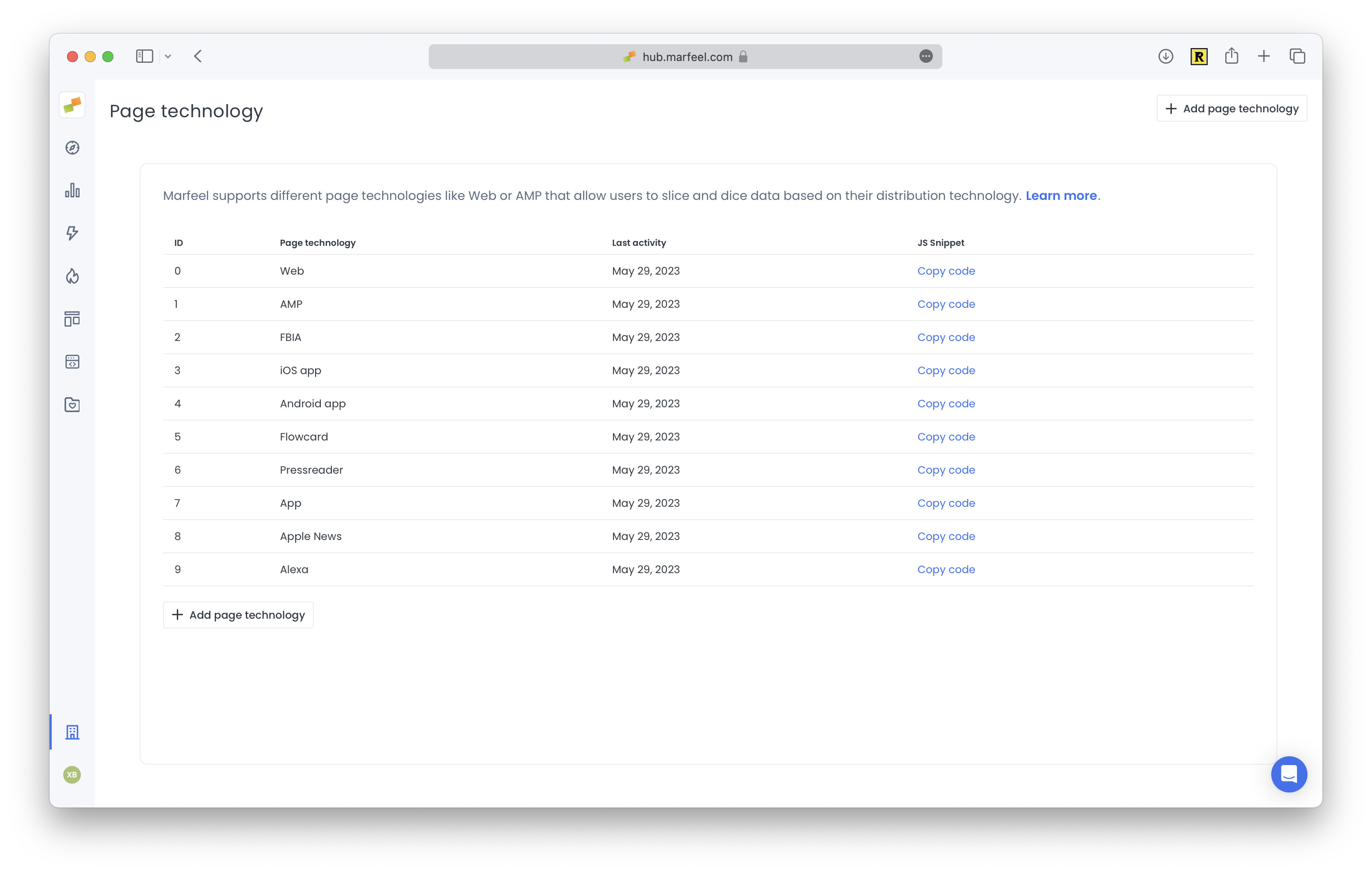
Custom Page Technologies are useful when you have multiple iOS or Android applications (for example, free, paid, and iPad-specific versions) or when you operate different brands. They also help when tracing a channel directly via the HTTP Tracker API.
Track custom Page Technologies
Section titled “Track custom Page Technologies”Each Marfeel SDK automatically assigns a Page Technology value according to the table above, but every SDK offers a mechanism to override the default.
Override the default Page Technology on:
What platforms does the Marfeel SDK support?
The Marfeel SDK supports JavaScript (web), Google AMP, Facebook Instant Articles, Android, iOS, Webview-based apps, Apple News, Alexa, HbbTV Connected TVs, SmartNews, and Newsbreak. Each platform has a dedicated integration guide.
What is the Page Technology dimension in Marfeel?
Page Technology is a dimension that encodes which SDK was used to track a session. It provides a unified view of how content is consumed regardless of the distribution channel, with values like Web, AMP, FBIA, iOS App, Android App, Apple News, Alexa, and HbbTV.
Can I create custom Page Technologies in Marfeel?
Yes. You can declare custom Page Technologies in the Hub admin page. This is useful when you have multiple iOS or Android applications (free, paid, iPad-specific) or different brands, and when tracing a channel via the HTTP Tracker API.