

How to implement Marfeel SDK via GTM (Google Tag Manager)
The Marfeel SDK can be added to your pages in two ways: directly in your site HTML, or through Google Tag Manager for convenience. Loading via GTM is simpler to deploy but introduces tradeoffs around tracking accuracy and browser compatibility.
Google Tag Manager delays the loading of Marfeel SDK, which has an important impact on traffic measurement accuracy. To prevent data discrepancies with other analytics tools, make sure the Marfeel SDK loads at the same exact time. For details on how SDK load timing affects measurement, see the SDK performance guide.
Safari 17 and iOS 17 block Google Tag Manager and Google Ads scripts on your pages. If Marfeel is loaded via GTM, it will not be able to track those sessions. We recommend adding the Marfeel SDK directly on your HTML to avoid this limitation.
Add the Marfeel SDK on GTM
Section titled “Add the Marfeel SDK on GTM”- Log into your Google Tag Manager workspace
- Click
Tagson the left-hand side - Click
New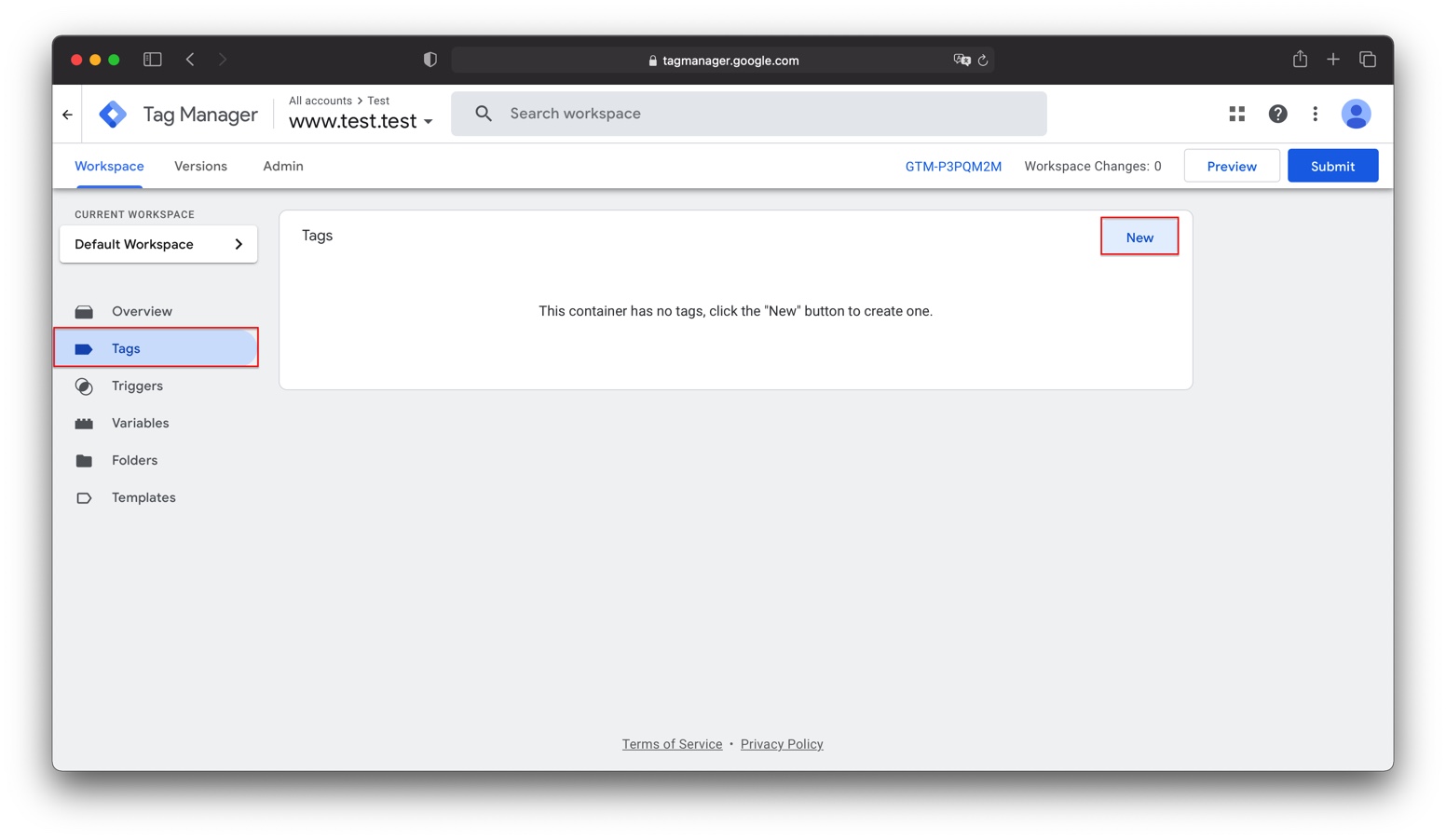
- Give your tag a name, like “Marfeel SDK”
- Under
Tag Configuration, choose the “Custom HTML” tag type - Copy the Marfeel SDK code
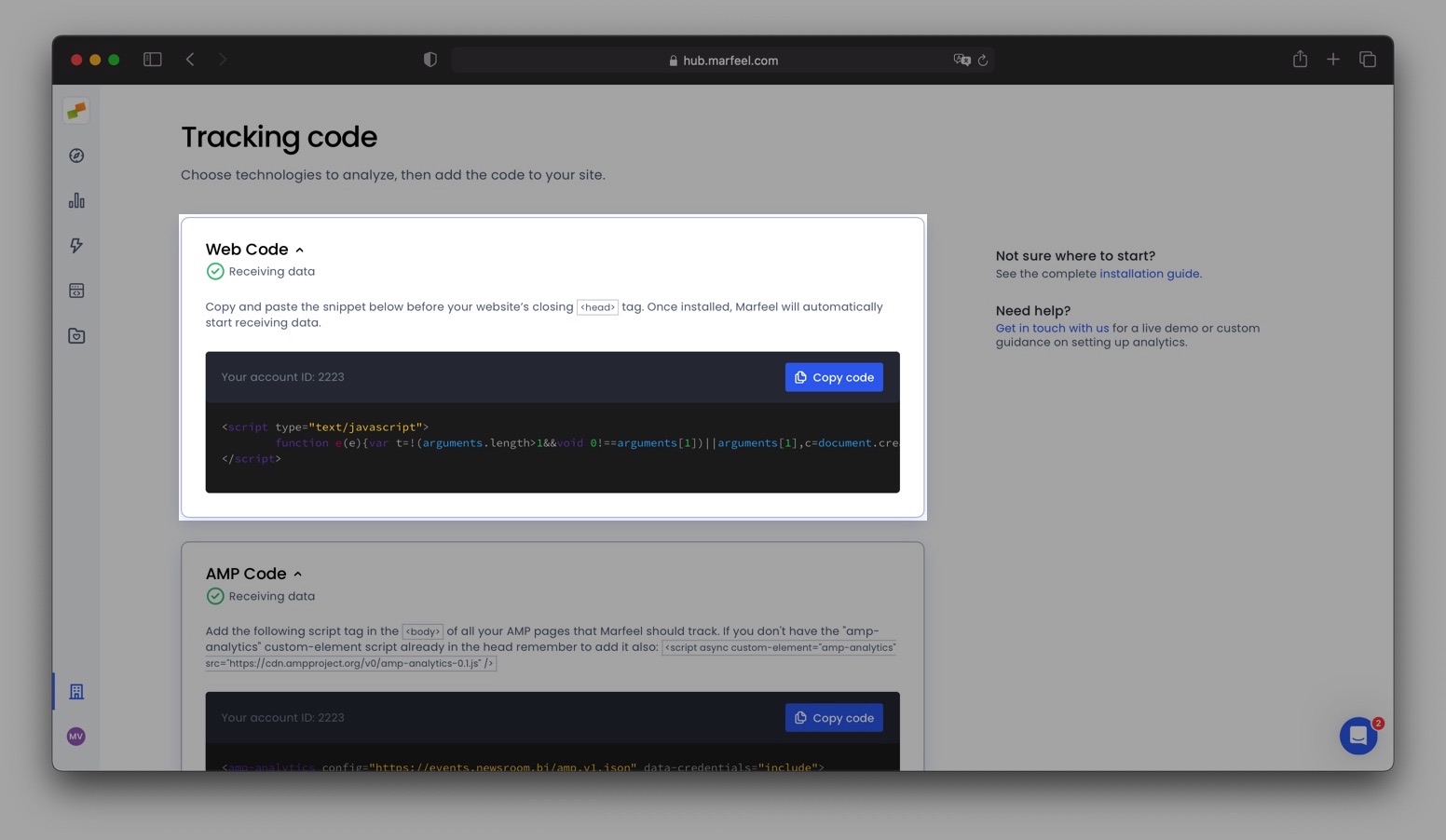
- Paste it into the “HTML” box
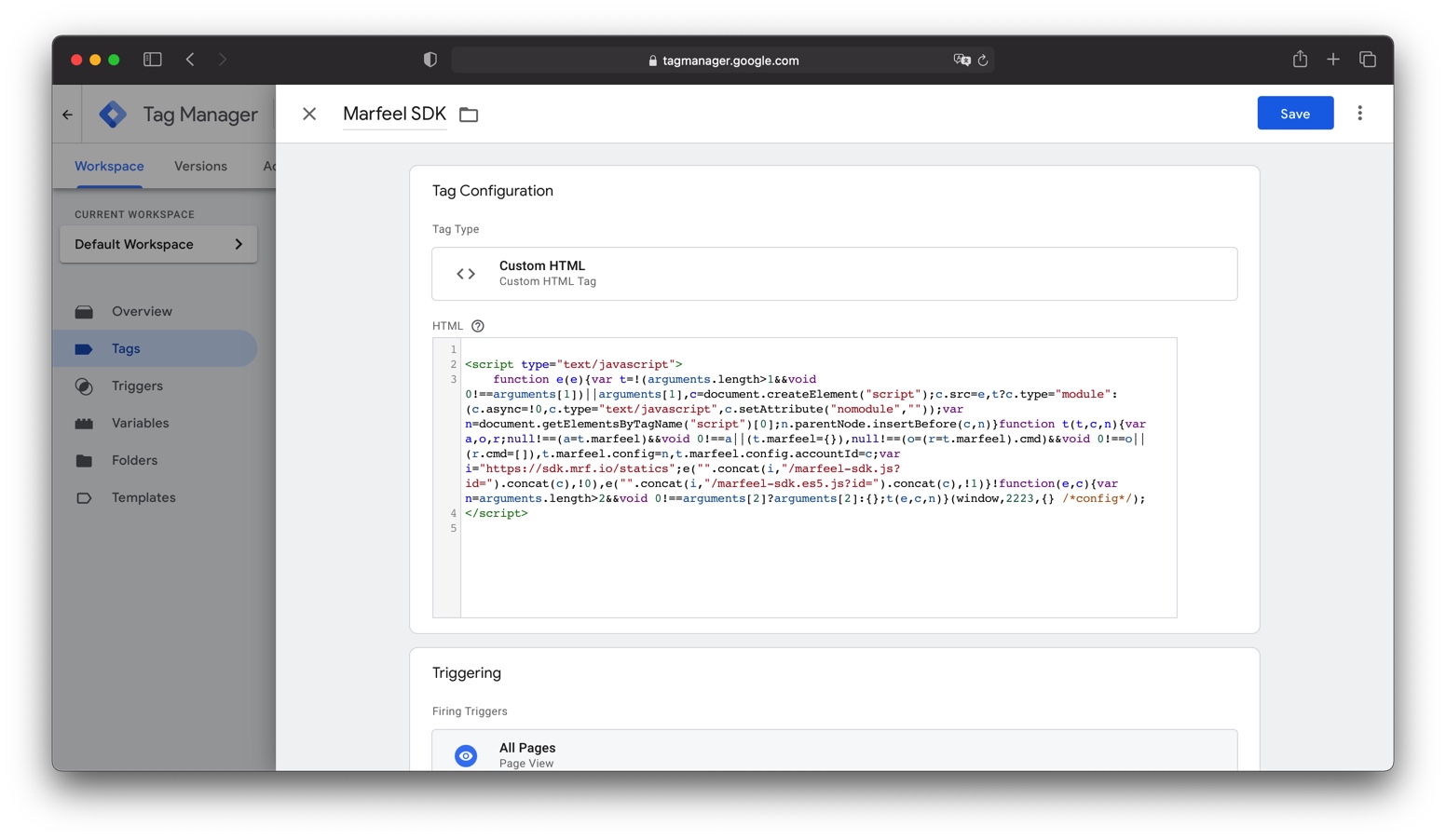
- Under Triggering, select the All Pages trigger
- Click the blue
Savebutton in the top right corner
AMP does not fully support Google Tag Manager. Adding the SDK via GTM will not track your AMP pages. To track your AMP pages you will need to instrument them separately.
Timing considerations
Section titled “Timing considerations”Adding the Marfeel SDK via Google Tag Manager delays when tracking begins on each page load. These delays, although subtle, can introduce precision mismatches between Marfeel and other analytics tools.
To minimize discrepancies, make sure the Marfeel SDK tag fires at the same moment as your other analytics tags. If precision is critical, consider adding the SDK directly to your HTML instead.