

Recommender Use Case: Optimize listings for max engagement
Marfeel Recommender turns underperforming recommendation modules into high-conversion assets. By dynamically aligning suggested content with reader preferences and article context, publishers achieve 2-3x CTR improvements without design overhauls or developer intervention.
Scenario description
Section titled “Scenario description”The most common scenario involves existing modules inside articles, whether sidebar, footer, or between-paragraph placements, that offer the same recommendations regardless of what the user is reading, their past preferences, or the performance record of the articles being recommended. This one-size-fits-all approach leaves potential engagement on the table.
Marfeel Recommender transforms these underperforming modules into dynamic, data-driven recommendation engines. By leveraging real-time insights into user behavior and article performance, it delivers personalized suggestions that resonate with your audience. The result is higher CTR, more pageviews, and happier readers, all without touching a single line of code.
How to set it up
Section titled “How to set it up”-
Identify underperforming modules. Head to the Recirculation view in Marfeel to pinpoint modules with low Viewable CTR. Use Marfeel’s Benchmarks as a reference to spot opportunities for improvement.
-
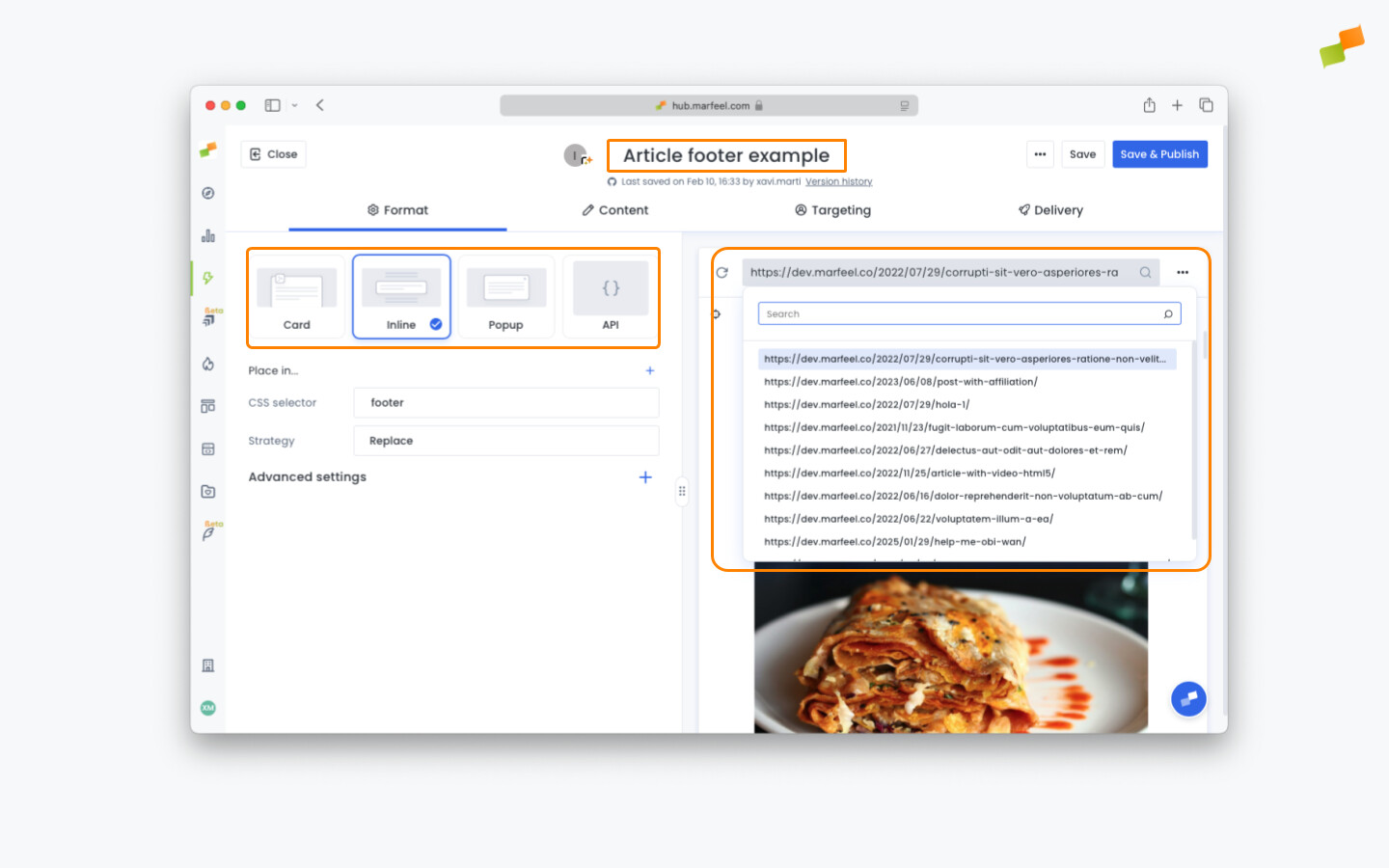
Create a new Recommender experience. Set up a new recommender experience in Inline Mode with the Replace Strategy. Use the URL dropdown in the preview screen to navigate to an article where the target module appears.
-
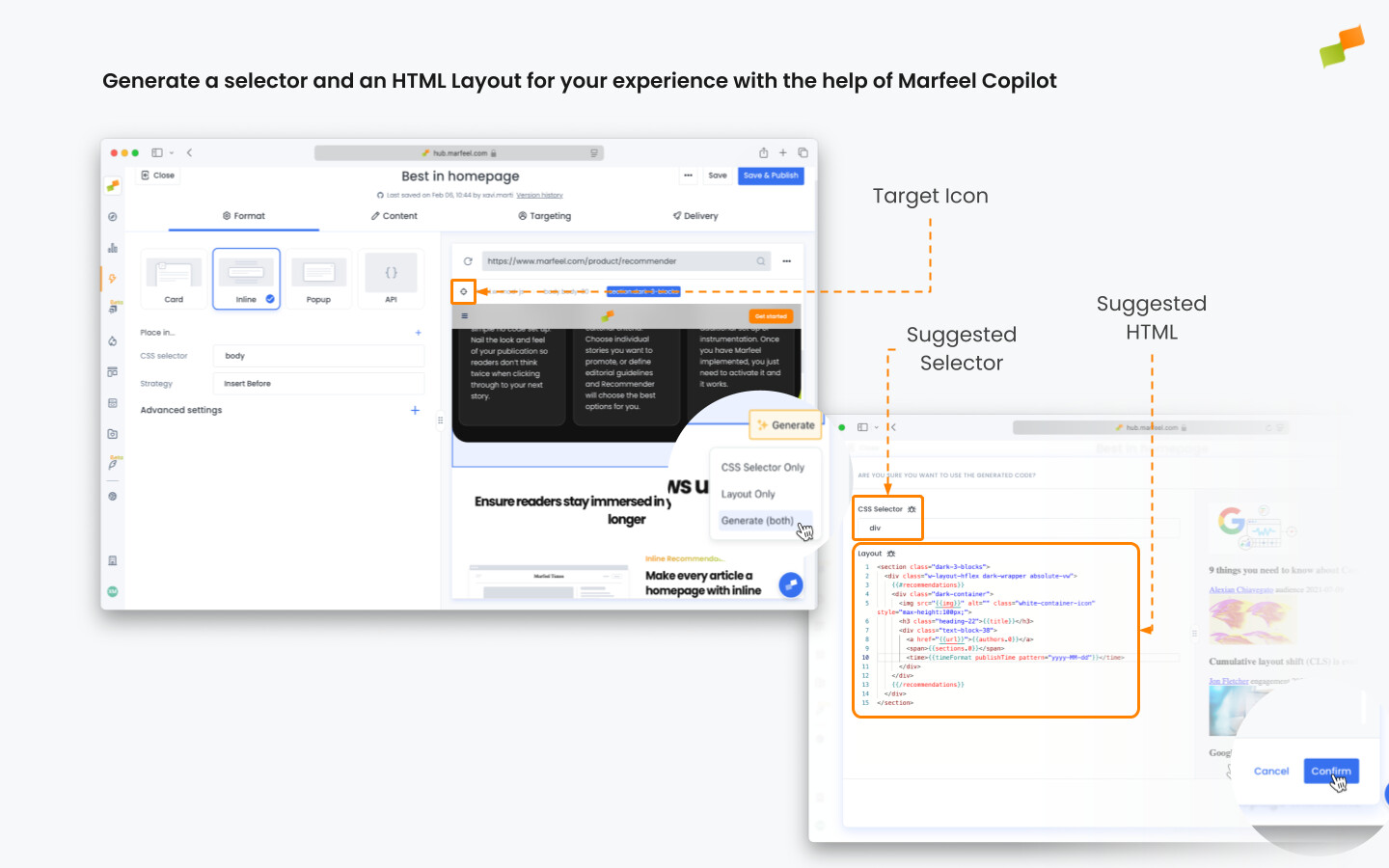
Highlight and replace the module. Toggle on Highlight Mode by clicking the target icon. Hover over the content until the module you want to replace is highlighted. Click on it, and select Generate (both) in the dialog that appears.
-
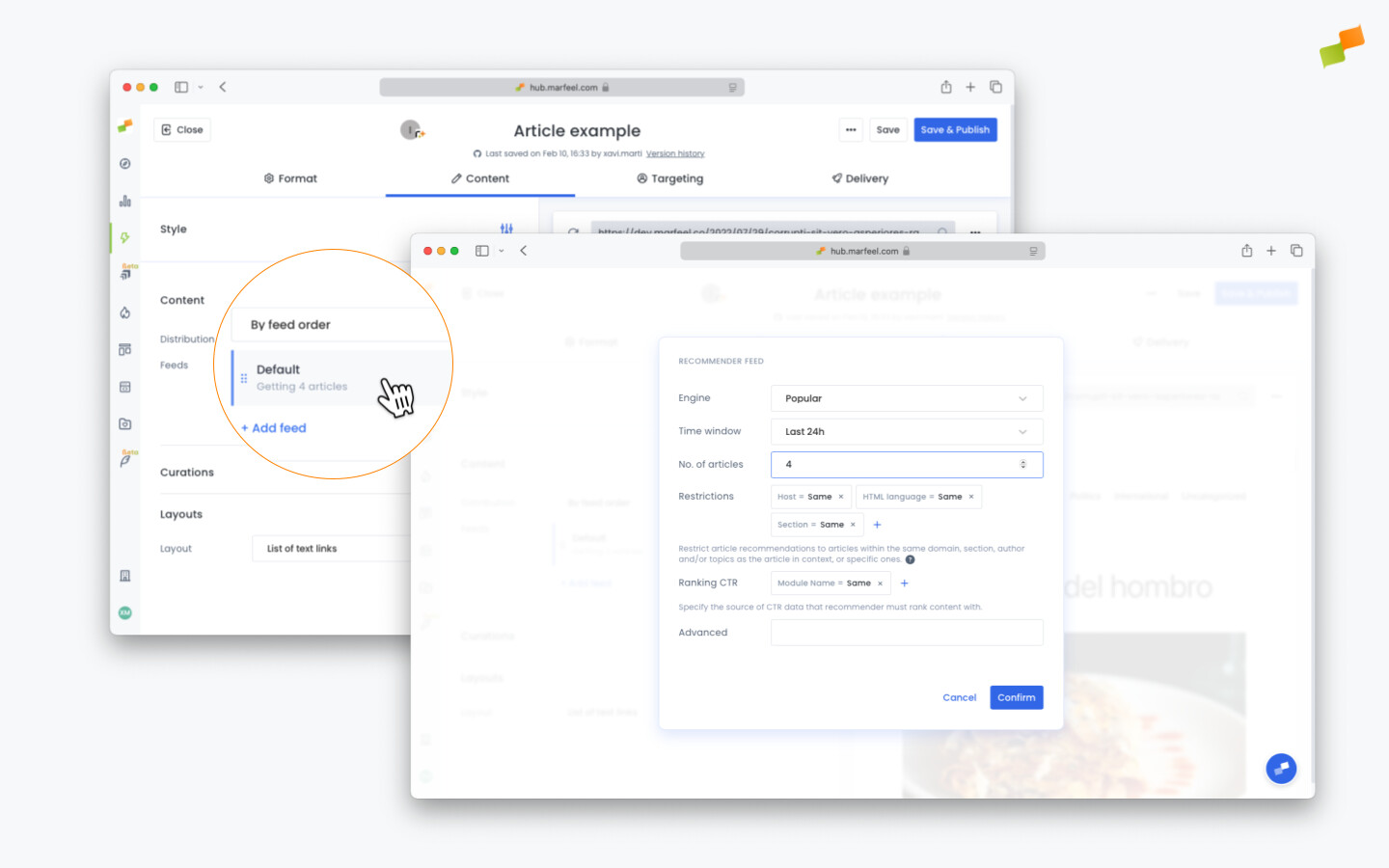
Configure your recommendations. Switch to the Content Tab to customize which articles are shown. Edit the feed to match the number of articles your design supports. Choose the recommendation engine that aligns with your goals. Check out our best practices guide for engine selection and content restrictions.
-
Preview and target. Test your new recommender module across desktop and mobile to ensure it works flawlessly. Fine-tune targeting and delivery settings to control when and where it appears.
-
Compare and publish. On the Format tab, click on the
+sign on Advanced settings to set an A/B testing percentage. This way, you can monitor the performance of your new recommender against your current module. Recommender is ready to be published now.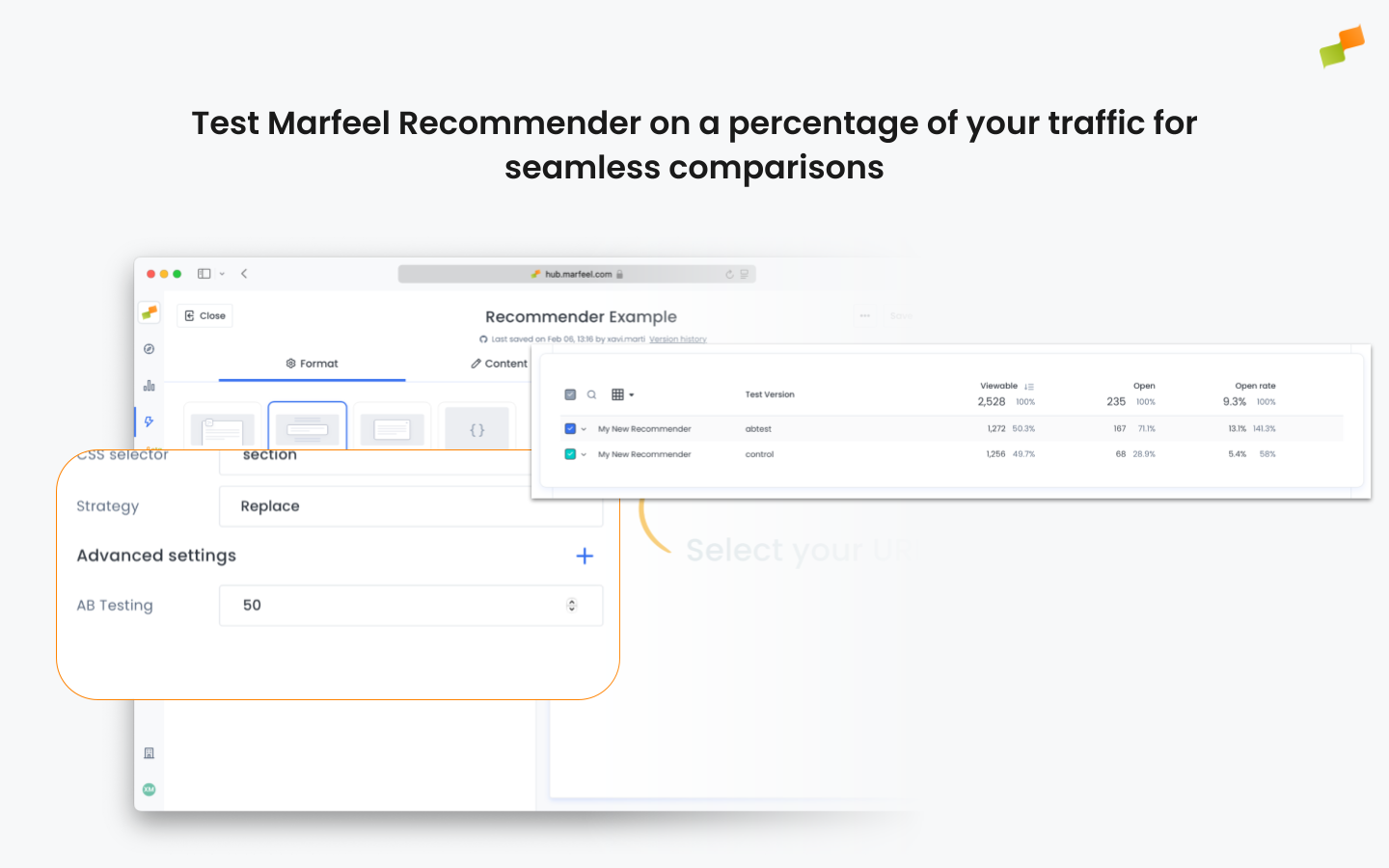
How does Marfeel Recommender improve CTR on existing modules?
Marfeel Recommender replaces static, one-size-fits-all recommendation modules with dynamic, data-driven engines that leverage real-time user behavior and article performance. Publishers typically achieve 2-3x CTR improvements without code changes or design overhauls.
Can I A/B test Recommender against my current modules?
Yes. In the Format tab’s Advanced settings, you can set an A/B testing percentage to compare the new Recommender module against your current one before fully rolling it out.
Do I need a developer to set up Marfeel Recommender?
No. The entire setup, from identifying underperforming modules to publishing the optimized replacement, is done through the Marfeel interface with no code required.